Guides, cards, templates and ready-to-run workshops for AI that now acts, not just answers. Every kit is free: download it, use it and change it for your team, and share unchanged copies with anyone.
Each kit teaches what the 2026 tools ask of you: brief the work, check what comes back, and keep it inside safe limits. Every kit covers Claude, ChatGPT and Gemini, with my recommendation (Claude first, ChatGPT second, Gemini third) next to an honest comparison of what each one is best at. Every vendor line in them is dated and sourced.
Every kit
Nine kits, all free.
Each one comes as a ZIP of every file, and its main PDF in A4 and US Letter. Each says what it was checked against, and when.
For anyone
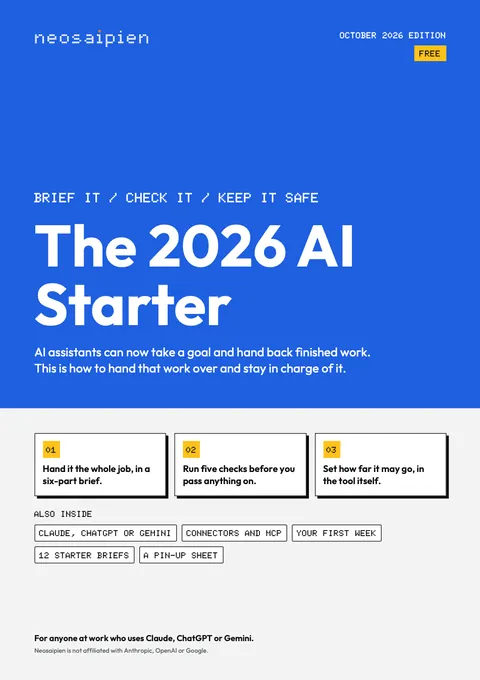
The 2026 AI Starter
Brief it, check it, keep it safe, in Claude, ChatGPT or Gemini: a first week with the assistant that now does the work.
Inside
An 18-page guide, a pin-up page and twelve starter briefs.
For
Anyone at work whose assistant can now do work, not just answer.
As of
16 Oct 2026
Free to use and change for your team. Share unchanged copies with anyone, with the credit and the date. Changed copies stay inside your organisation. Not for sale.
Check AI-made work before it goes out: a routine, eight review cards, a claims log and a team rule.
Inside
A 20-page guide, eight review cards, a claims log, a team rule, a practice pack and four skills.
For
Managers who receive or sign off AI-made work, and anyone who sends it out.
As of
16 Oct 2026
Free to use and change for your team. Share unchanged copies with anyone, with the credit and the date. Changed copies stay inside your organisation. Not for sale.
Hand work to AI agents in Claude, ChatGPT or Gemini and stay in charge: the brief, four levels, five checks and 20 ready briefs.
Inside
A 28-page book, a dated insert, brake cards, brief cards, team rules, and 20 briefs as skills.
For
Managers whose team's assistants now act: send, book, edit, browse and run on a schedule.
As of
16 Oct 2026
Free to use and change for your team. Share unchanged copies with anyone, with the credit and the date. Changed copies stay inside your organisation. Not for sale.
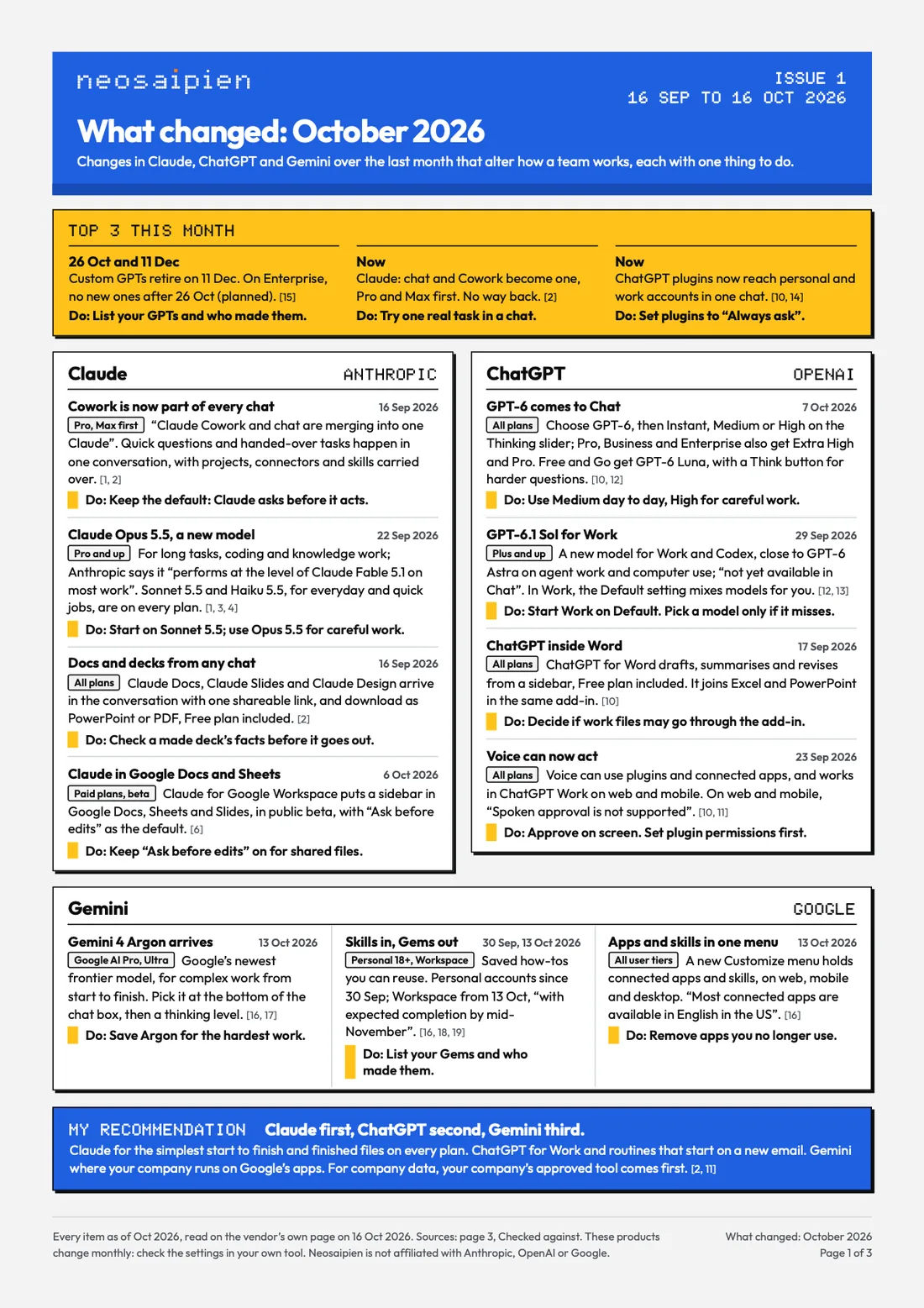
The October 2026 issue: what changed in Claude, ChatGPT and Gemini, which model to use for what, and one thing to do about each change.
Inside
The October 2026 issue, as PDF, as an email file and as text.
For
Busy managers and leaders who can't follow three sets of release notes.
As of
16 Oct 2026
Free to use and change for your team. Share unchanged copies with anyone, with the credit and the date. Changed copies stay inside your organisation. Not for sale.
Set your team's AI rules this month: a policy, a staff guide, a 30 day plan and a deck to announce it.
Inside
A policy template, a staff guide, a 30 day plan, an all-hands deck, records and forms.
For
Managers, operations and HR leads, and founders with no written AI rules yet.
As of
16 Oct 2026
Free to use and change for your team. Share unchanged copies with anyone, with the credit and the date. Changed copies stay inside your organisation. Not for sale.
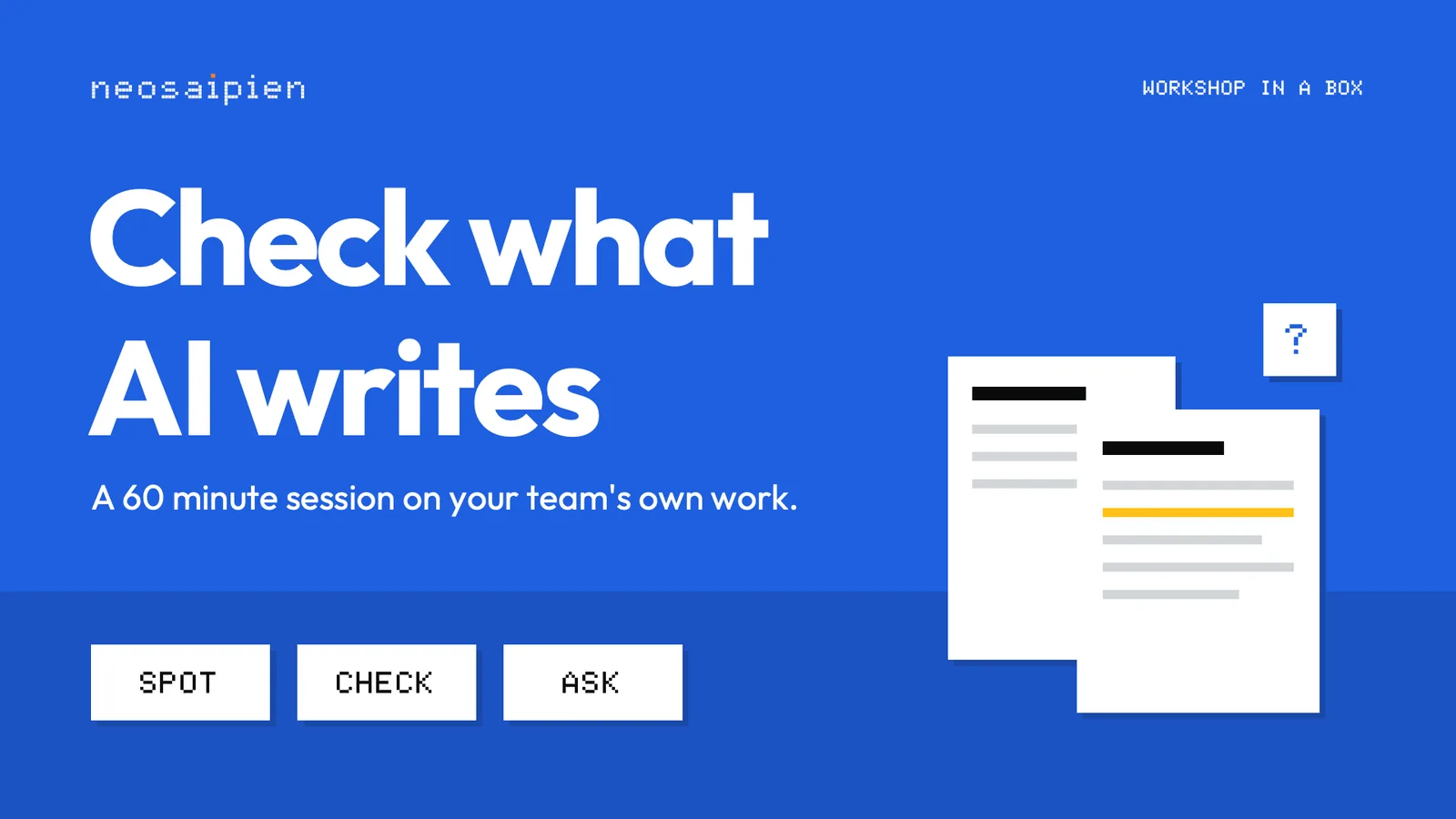
A 60 minute session any team lead can run: spot what could be invented, check it outside the chat, ask what was checked.
Inside
A 22-page facilitator guide, 15 slides, a handout, practice sheets and emails.
For
Team leads who want to train their own team of 4 to 16, in 60 minutes.
As of
16 Oct 2026
Free to use and change for your team. Share unchanged copies with anyone, with the credit and the date. Changed copies stay inside your organisation. Not for sale.
A 60 minute session any team lead can run: hand work to AI agents in Claude, ChatGPT or Gemini, and stay in charge.
Inside
A 15-page facilitator guide, 17 slides, a handout, cards, a one-sheet and emails.
For
Team leads whose team is starting to hand work to agents.
As of
16 Oct 2026
Free to use and change for your team. Share unchanged copies with anyone, with the credit and the date. Changed copies stay inside your organisation. Not for sale.
30-60-90 days: from AI tools switched on to work that changed, on one main platform.
Inside
A 27-page plan, a plan on a page, a job picker and tracker, a kickoff deck and checklists.
For
Owners, directors and department heads deciding how the whole organisation takes up AI.
As of
16 Oct 2026
Free to use and change for your team. Share unchanged copies with anyone, with the credit and the date. Changed copies stay inside your organisation. Not for sale.
Every kit on this page in one ZIP, with a 90-day programme that runs them in order on Claude, ChatGPT or Gemini.
Inside
All eight kits above, plus an index, a contents guide, a 90-day programme and a wall chart.
For
An organisation that wants the whole set at once, run as a 90-day programme.
As of
16 Oct 2026
Free to use and change for your team. Share unchanged copies with anyone, with the credit and the date. Changed copies stay inside your organisation. Not for sale.
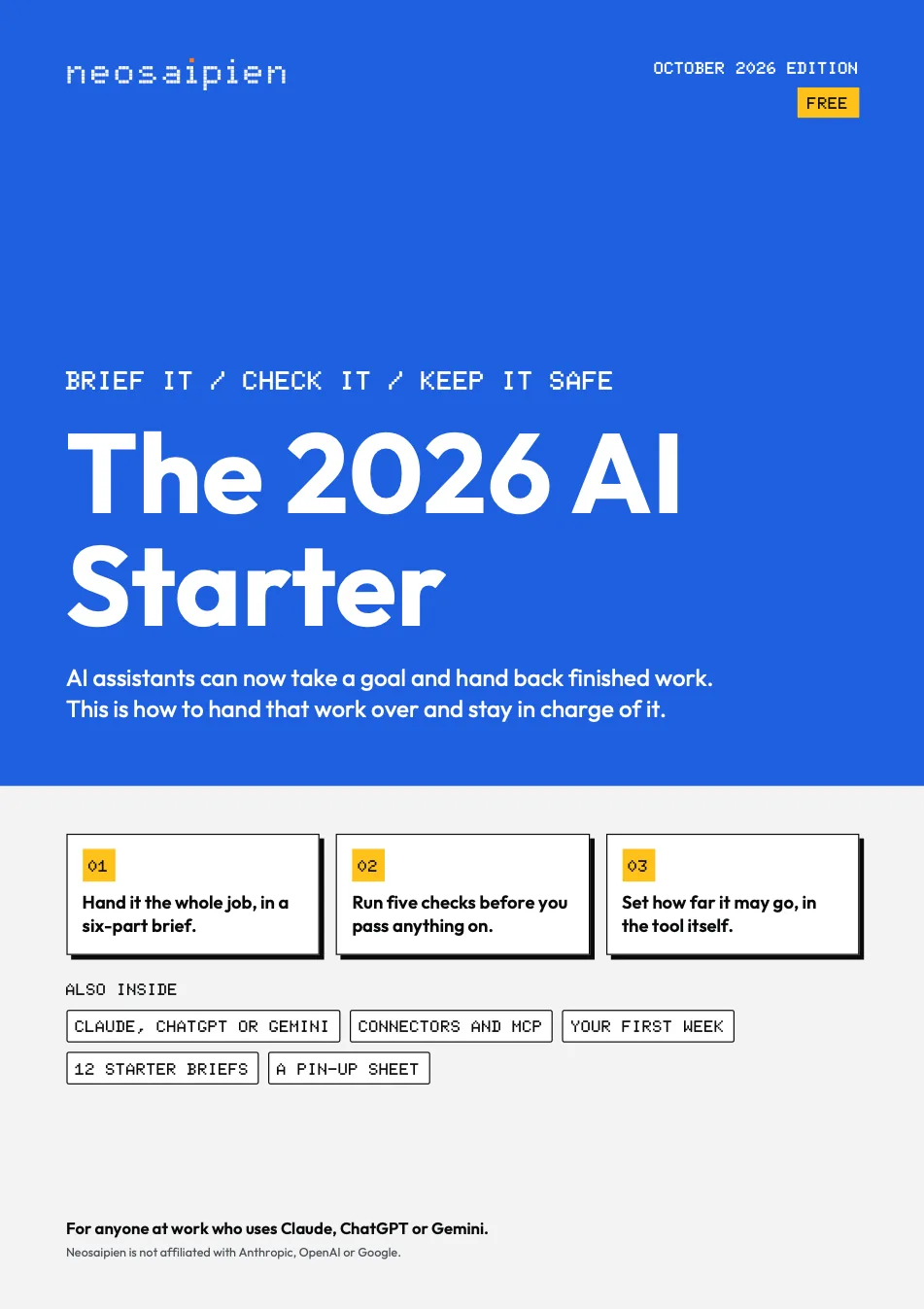
Brief it, check it, keep it safe, in Claude, ChatGPT or Gemini: a first week with the assistant that now does the work.
Who it is for
Anyone at work whose assistant (Claude, ChatGPT or Gemini) can now do work, not just answer. The first download from the Field Guide's Start here level.
What is inside
The 3 partsShowHide
The guide, 18 pagesWhat changed this year (the Cowork merge into Claude, ChatGPT Work and the one ChatGPT desktop app, tasks in Gemini, the new models), Claude, ChatGPT or Gemini: which for what, with my recommendation, where to click for the same nine jobs in all three, Claude Code or ordinary Claude, which model when, the six-part brief with a worked example, the five checks, the four levels, connectors and MCP in plain words, a seven-day first week from setup to a saved skill, twelve starter briefs by role, and Checked against.
Pin this upOne page on its own, with four short lists: what to check before you hand work over, what to check before you pass it on, what never to do, and the three questions and the four levels.
Twelve starter briefs as textTwo per role, levels 1 and 2 only, each check set apart so you copy only the brief.
One of the twelve briefs, as in the file · Level 1 Read
01 Plan a meeting that ends in a decision
Goal: Draft an agenda for a [length] minute meeting on [date] that ends in a decision on [the decision].
Done looks like: For [who's in the room, and what each cares about]: a one-line purpose, three timed items, the exact question to answer, and what to read first.
Context: [The options and any numbers], and [the notes from the last meeting on this].
May touch, must not: Use only what I paste, and reply here. Don't send invites or contact anyone.
Limits: One page.
Stop and ask: If the people in the room can't make this decision, say so first.
Your check, not part of the brief: The job. The minutes add up to the meeting's length, and this room can answer the question.
The guide, coverThe guide, back page
For you · October 2026 edition
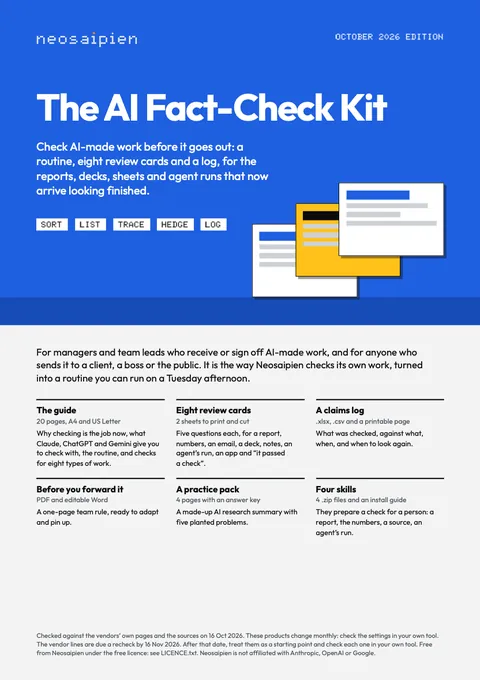
The AI Fact-Check Kit
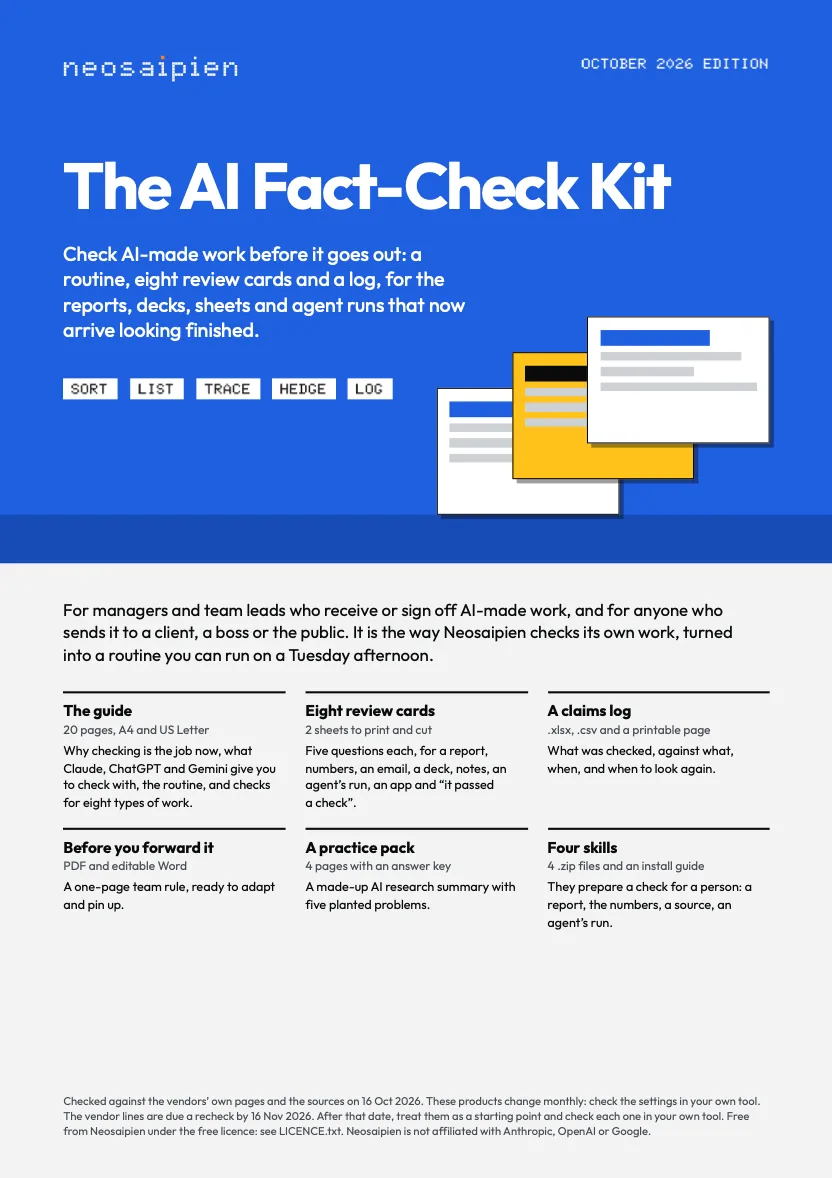
Check AI-made work before it goes out: a routine, eight review cards, a claims log and a team rule.
Who it is for
Managers and team leads who receive or sign off AI-made work (reports, decks, spreadsheets, emails, research reports, agent runs), and anyone who sends AI-made work to a client, a boss or the public.
What is inside
The 6 partsShowHide
The guide, 20 pagesWhy checking is the job now, what Claude, ChatGPT and Gemini each give you to check with (with my recommendation, and connectors and MCP in one box), why AI gets things wrong, the routine (Sort, List, Trace, Hedge, Log) with a made-up worked example, how Neosaipien checks its own work, checks by type of work, the team rule, and Checked against.
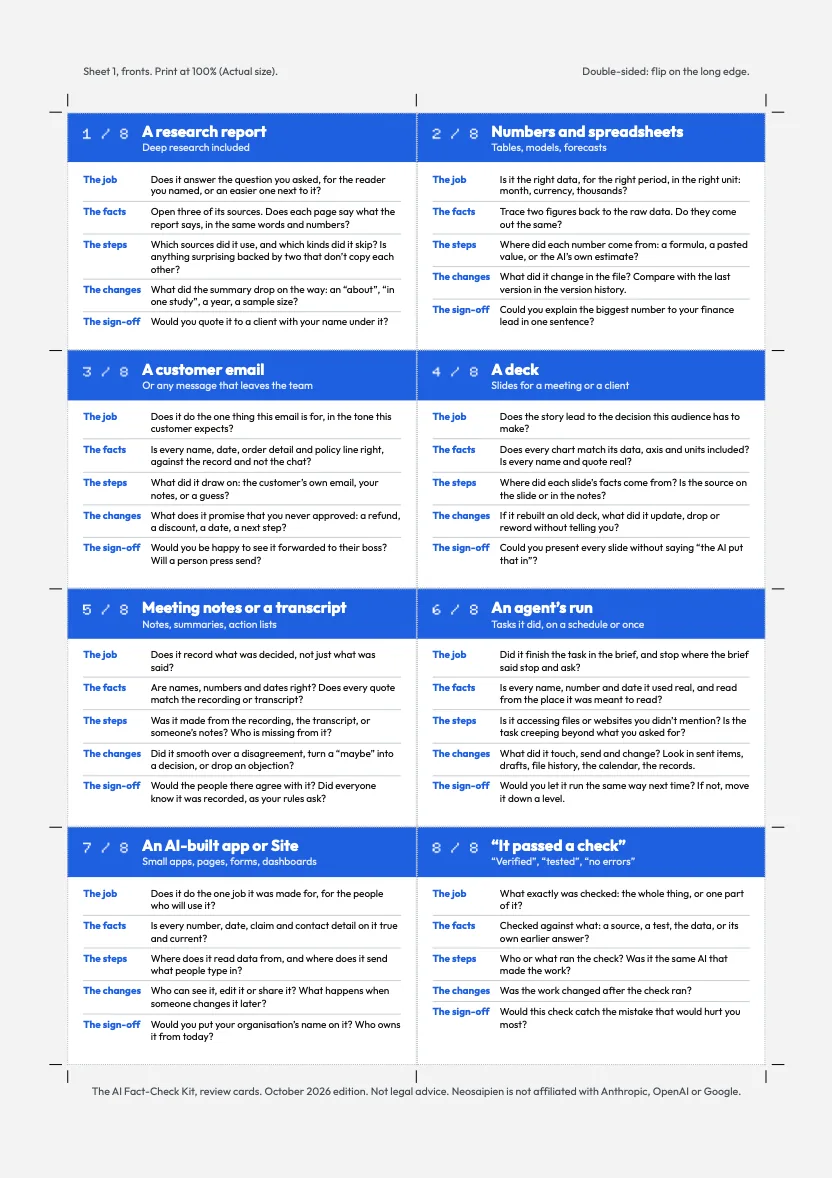
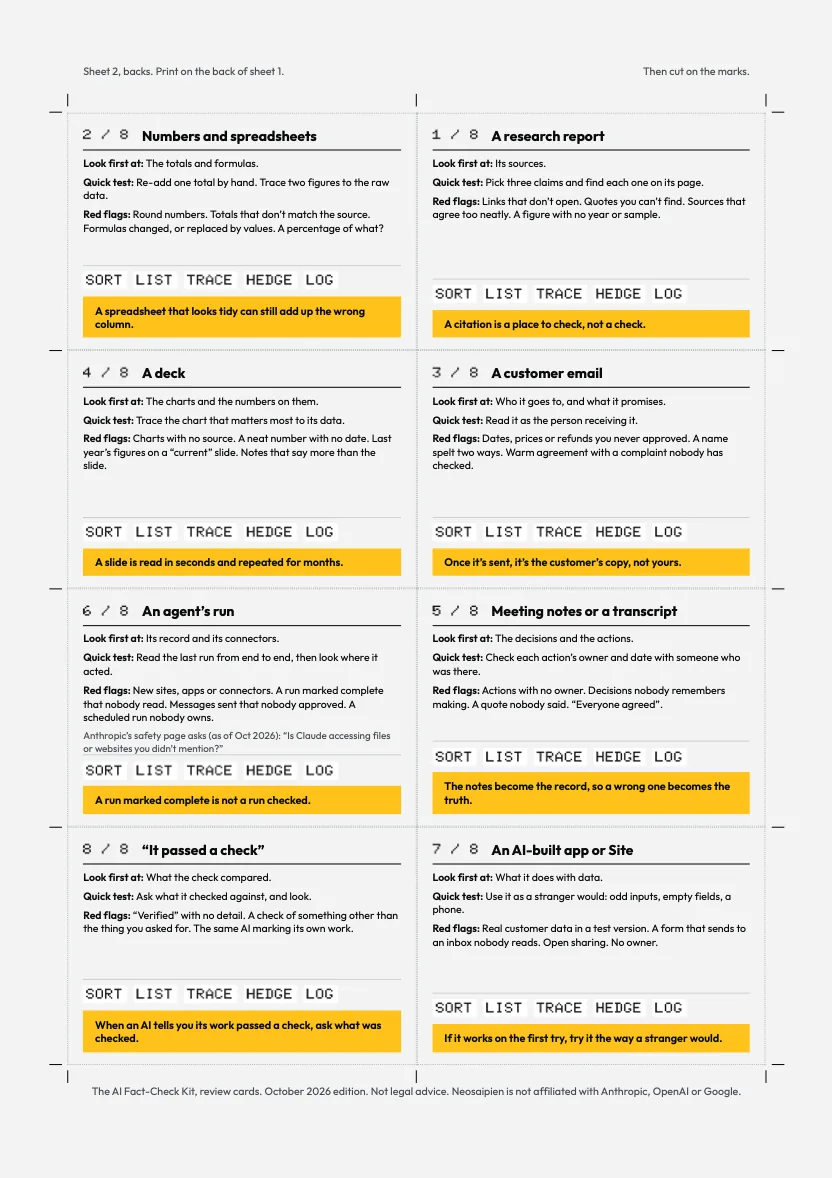
Eight review cardsFive questions each: a research report, numbers and spreadsheets, a customer email, a deck, meeting notes, an agent's run, an AI-built app or Site, and “it passed a check”. Two by four to a sheet, with cut marks.
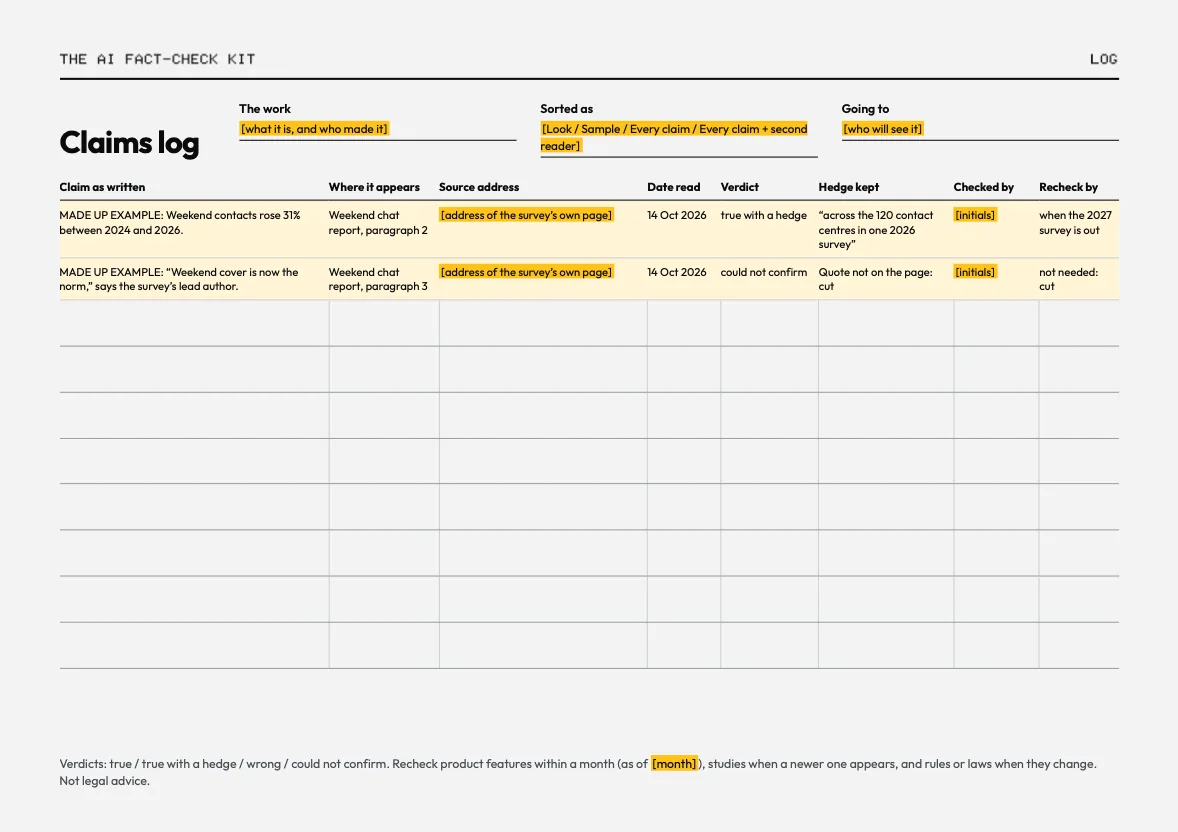
A claims logIn Excel, CSV and as a printable page, with two made-up example rows.
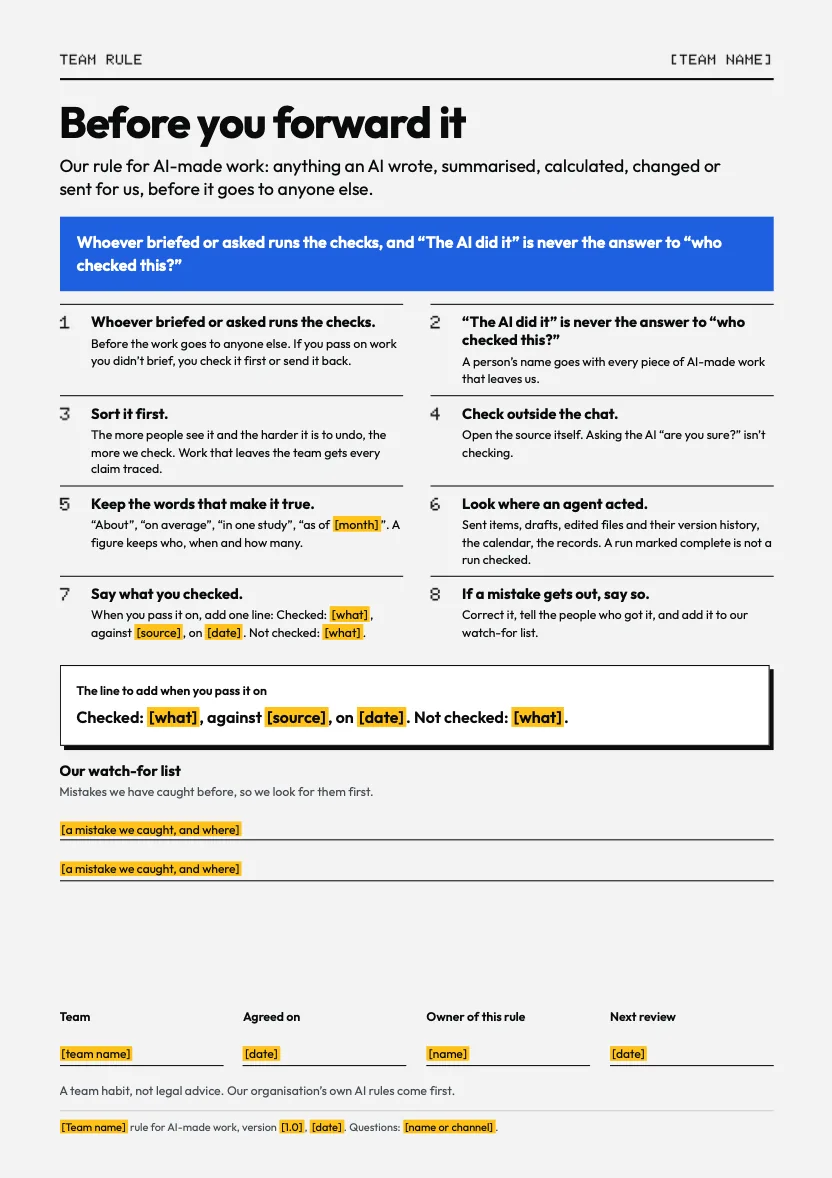
Before you forward itA one-page team rule with blanks for your team's details, as PDF and Word.
A practice packA made-up AI research summary, its sources, a worksheet and an answer key with five planted problems.
Four skillsEach prepares a check for a person and never verifies anything itself: check-a-research-report, check-the-numbers, check-against-the-source, review-an-agent-run. In the open SKILL.md format that Claude, ChatGPT and Gemini all accept, with a two-page install guide. Not yet tested in each assistant.
The guide, coverReview cards, frontsReview cards, backsBefore you forward itClaims log, printableThe guide, where to go next
For you · October 2026 edition
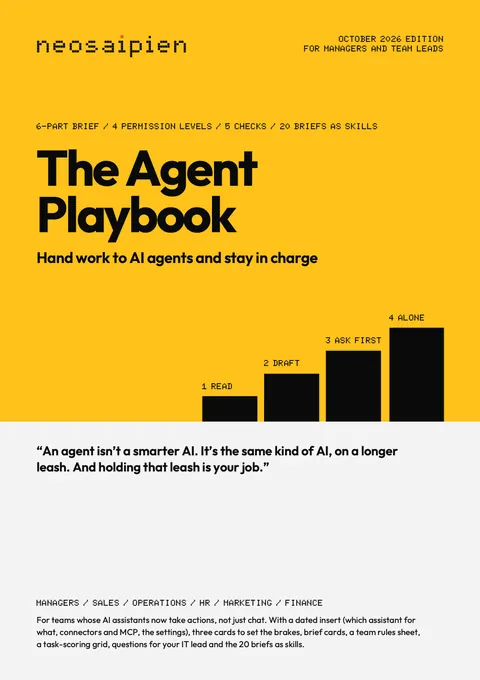
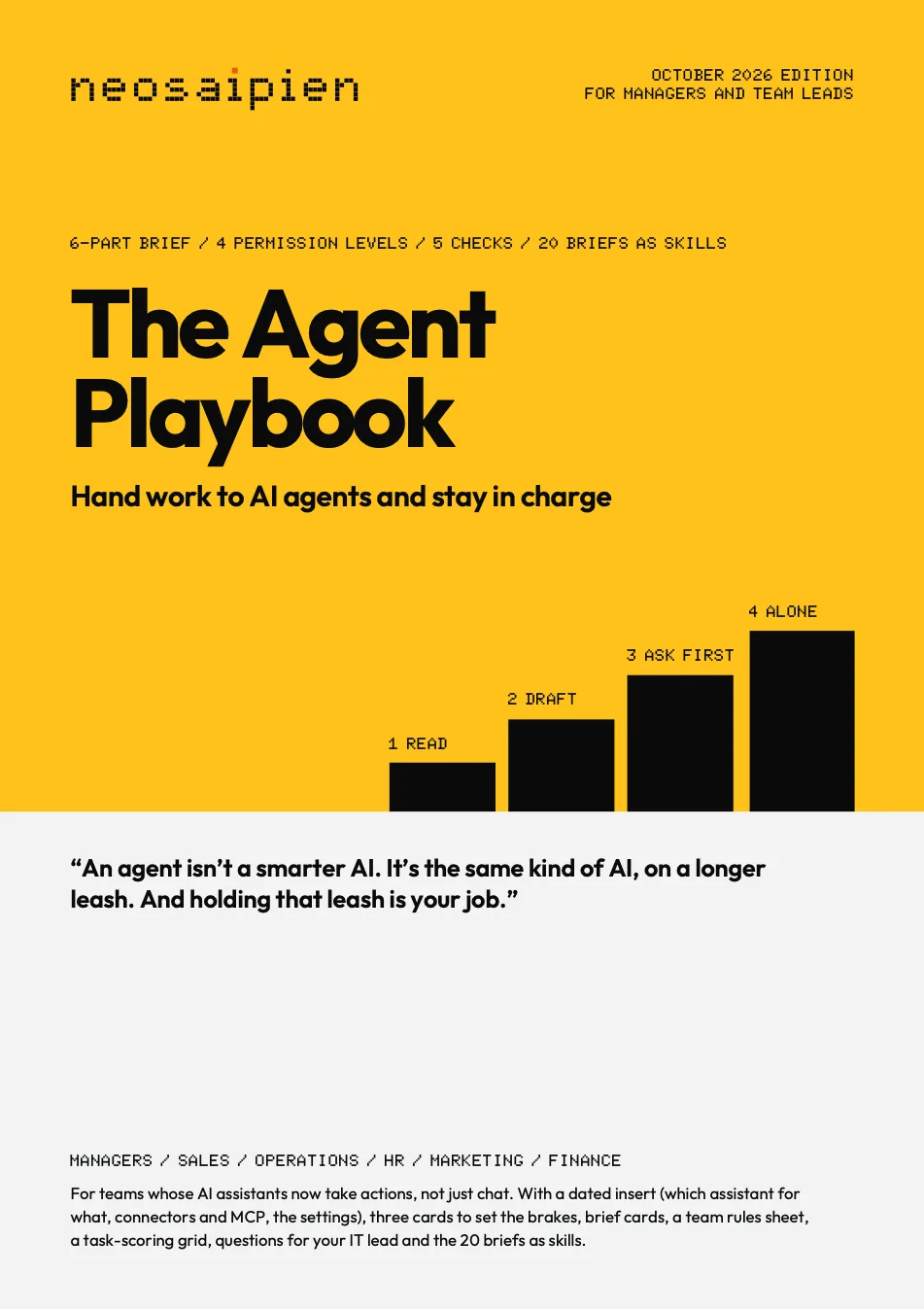
The Agent Playbook
Hand work to AI agents in Claude, ChatGPT or Gemini and stay in charge: the brief, four levels, five checks and 20 ready briefs.
Who it is for
Managers and team leads whose people now have AI assistants that act: they send, book, edit files, browse and run on a schedule.
What is inside
The 7 partsShowHide
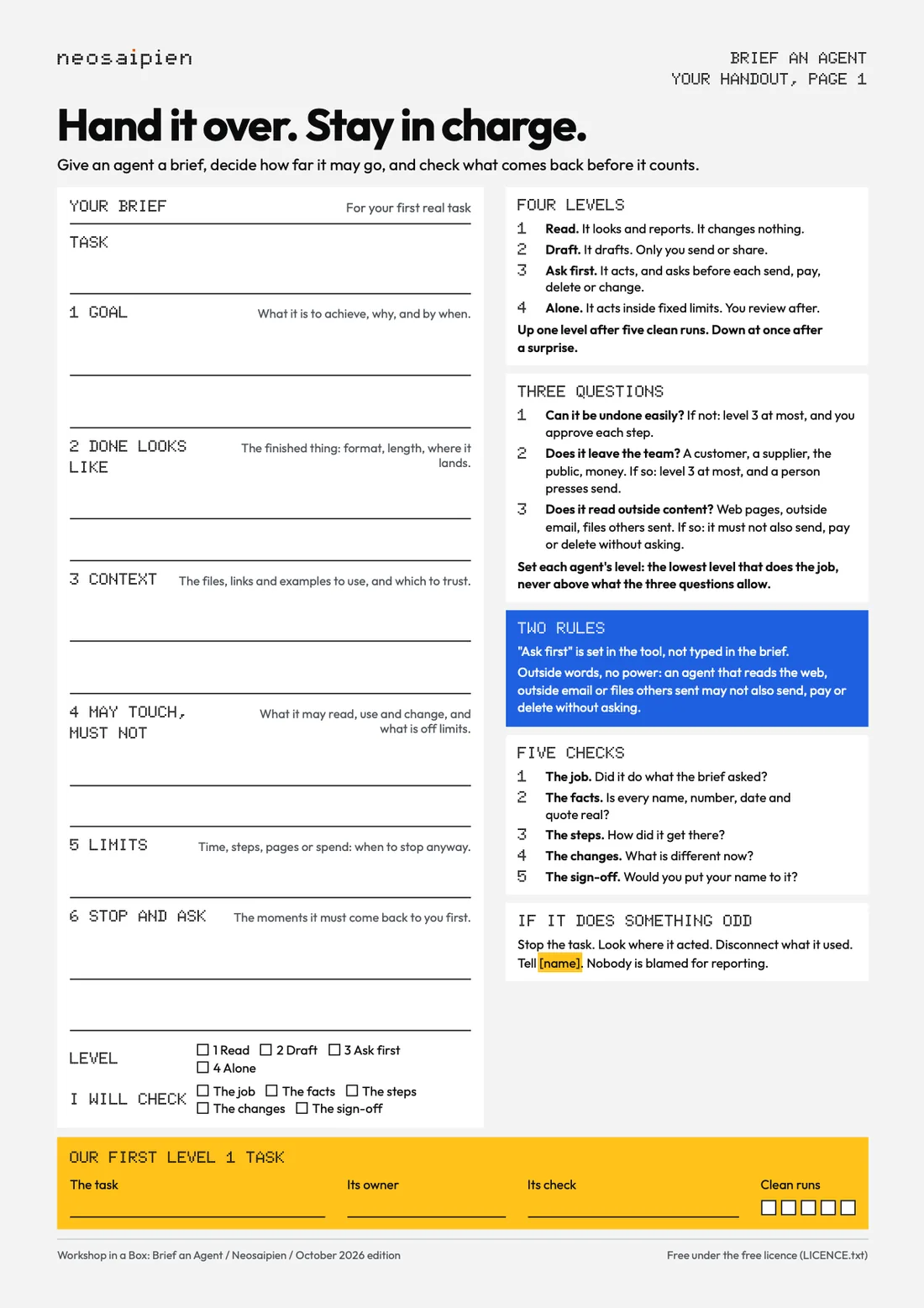
The book, 28 pagesWhat an agent is, the tool chooser, the six-part brief with a worked example, four permission levels and the three questions that set the ceiling, the five checks, three risk pages, 20 ready briefs across six roles, a first-month plan, five safe recipes for scheduled agents, and Checked against.
The dated insert, 4 pagesAs of 16 Oct 2026: what Claude, ChatGPT and Gemini can do, the same jobs side by side, which model for which job, which one for what with my recommendation, connectors and MCP in plain words, and where the brakes are in each. The only per-assistant settings in the whole set.
Set the brakes cardsA 15 minute check for Claude, ChatGPT and Gemini: approvals, connected apps, website access, scheduled tasks, memory and the account, with red flags and what to do if an agent does something odd.
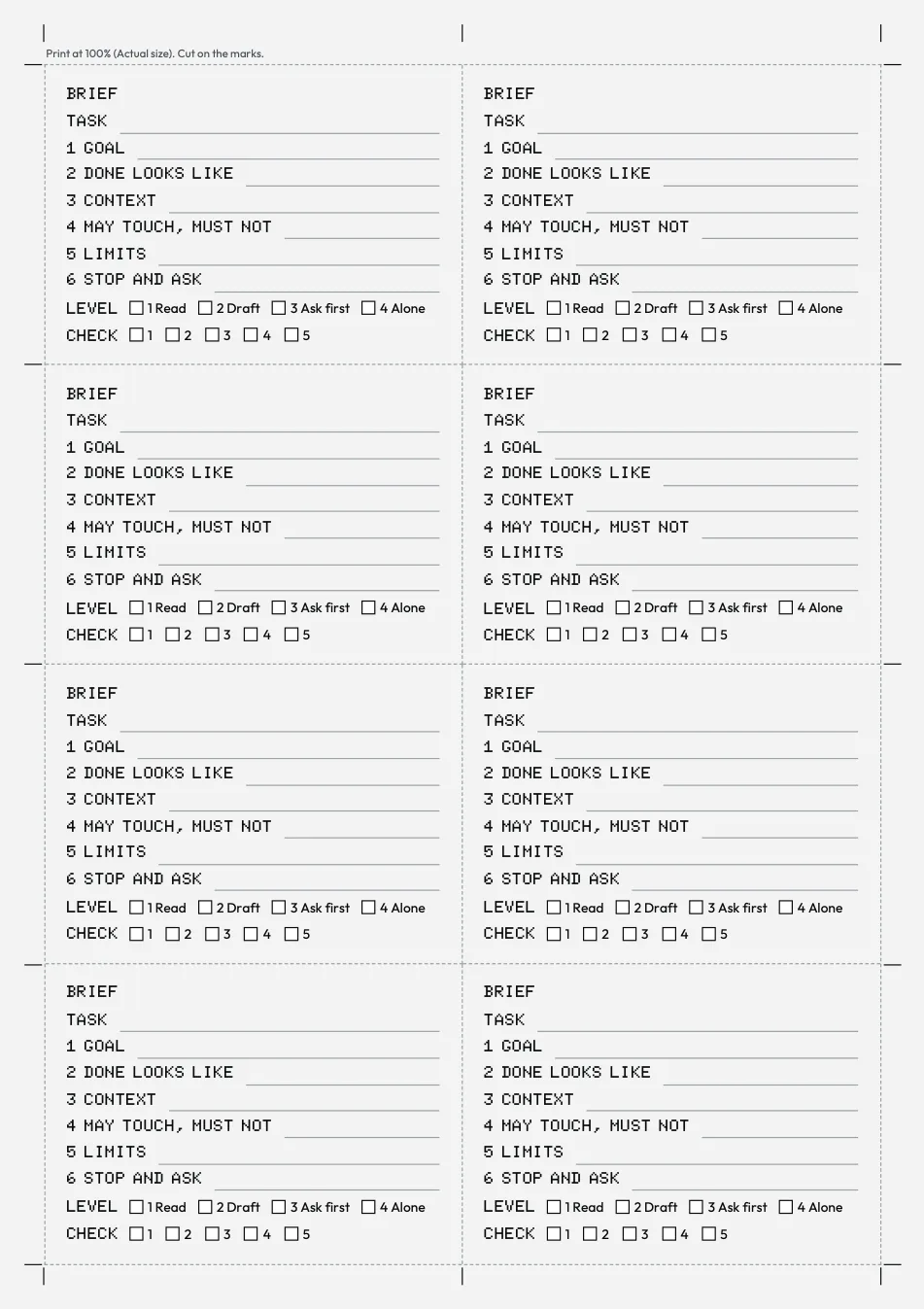
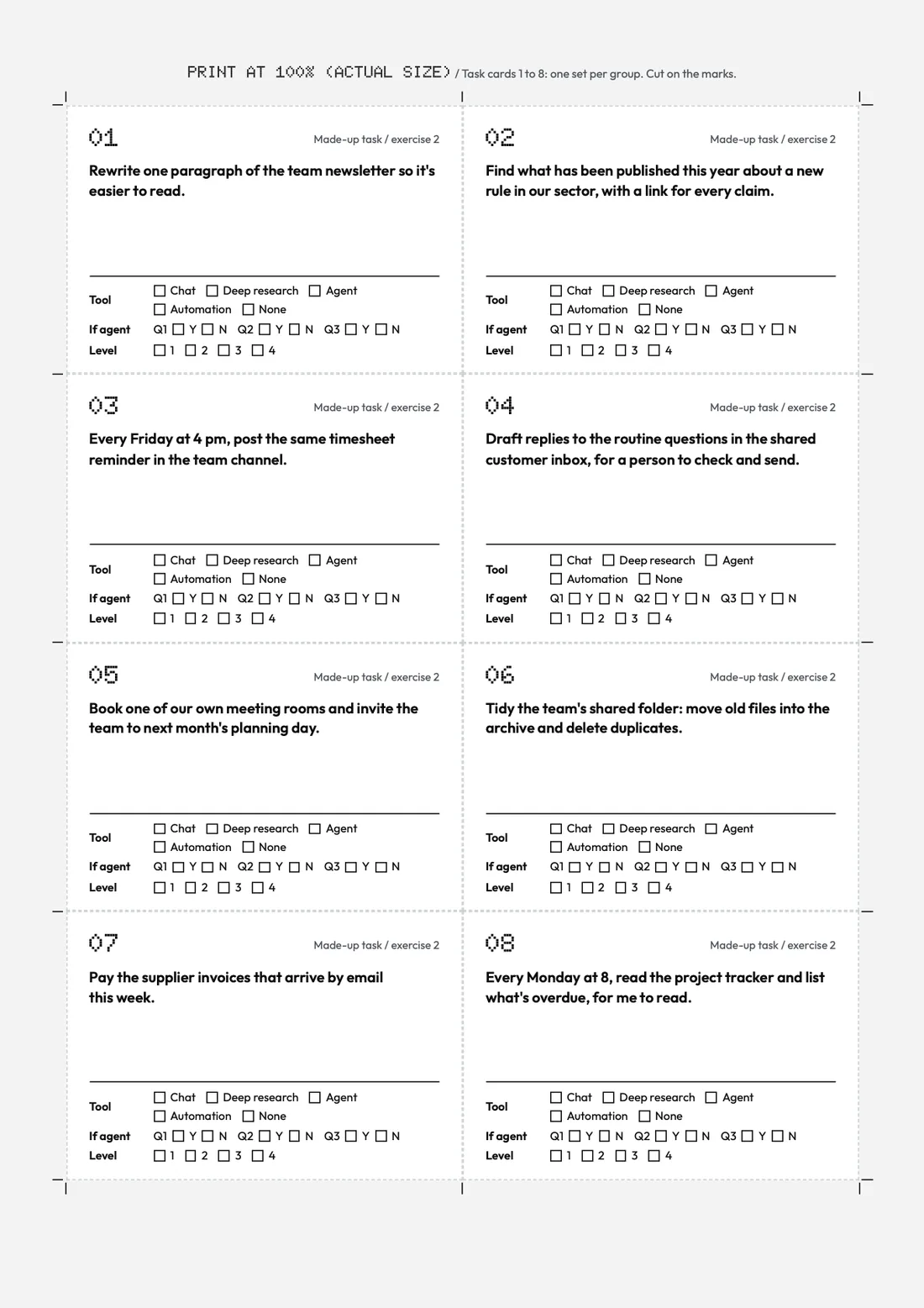
Brief cardsEight to a page inside 10 mm margins, with cut marks.
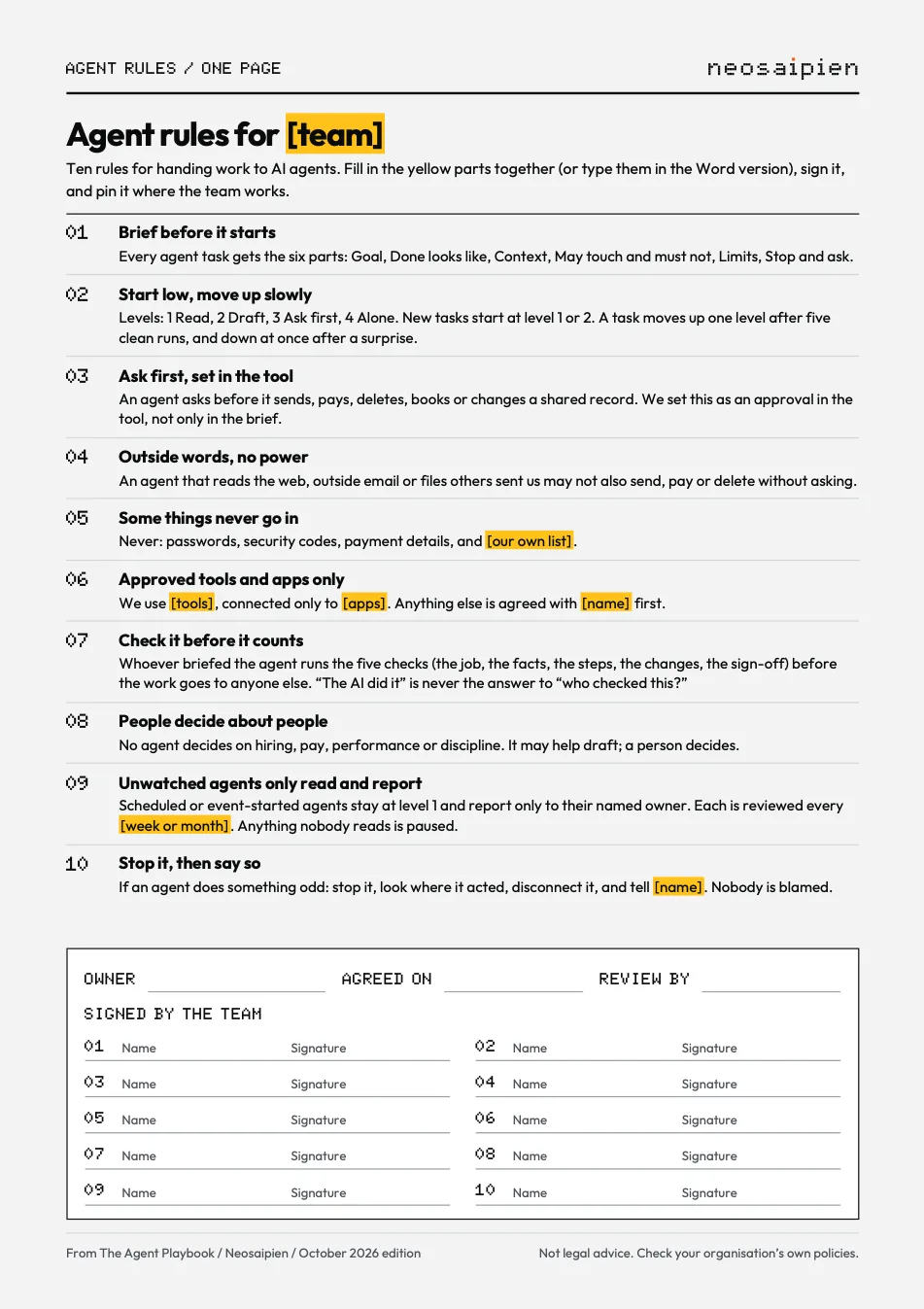
Agent rules for my teamTen rules with blanks and ten signature slots, as PDF and Word.
A task-scoring grid and questions for ITTen of your team's tasks against the three questions, and ten questions for whoever runs your AI tools.
The 20 briefs as skills and as textOne .zip per skill in the open Agent Skills format, with an install guide for Claude, ChatGPT and Gemini, not yet tested in each assistant; and the same briefs as plain text.
The book, coverAgent rules for my teamBrief cards, write-on briefsThe book, back page
For you · October 2026 (issue 1)
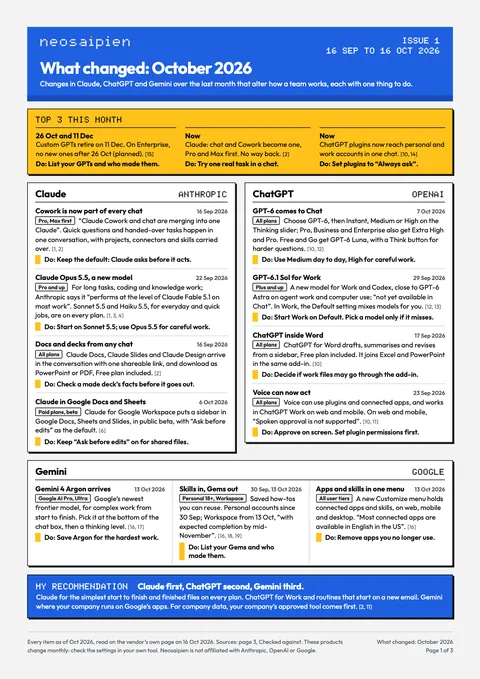
What Changed
The October 2026 issue: what changed in Claude, ChatGPT and Gemini, which model to use for what, and one thing to do about each change.
Who it is for
Busy managers, leaders and office workers who can't follow three sets of release notes.
What is inside
The 2 partsShowHide
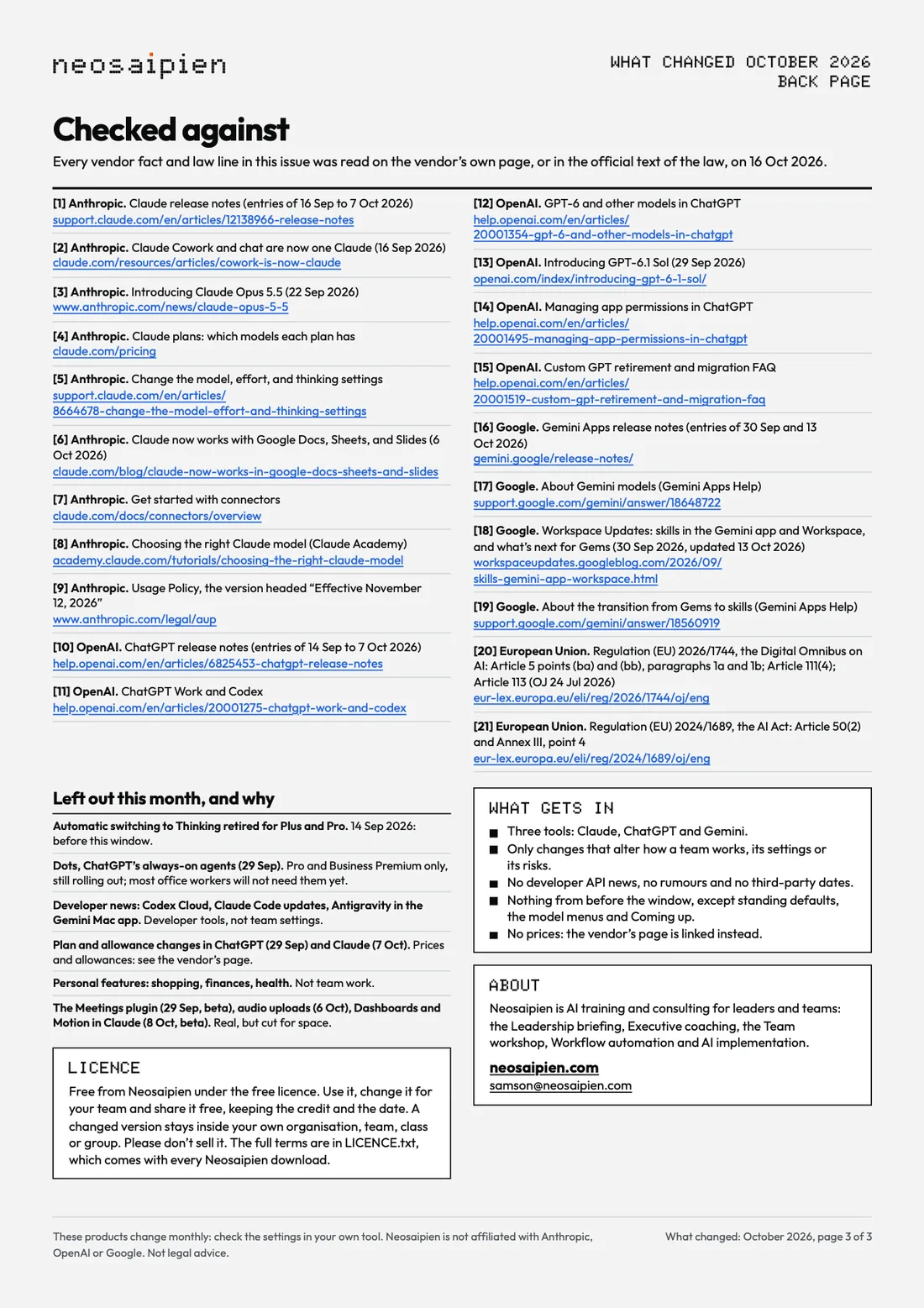
The October 2026 issueChanges from 16 Sep 2026 to 16 Oct 2026 in Claude, ChatGPT and Gemini, each with its date, its source and one thing to do, a Top 3 and my recommendation, then which model when, settings and dates, then a back page with every source and the day it was read.
The same issue as an email and as textOne self-contained email file with no pictures and nothing loaded from outside, and plain Markdown.
Page 1: Claude, ChatGPT and GeminiPage 3: checked against
For your team · October 2026 edition
The Team AI Policy Kit
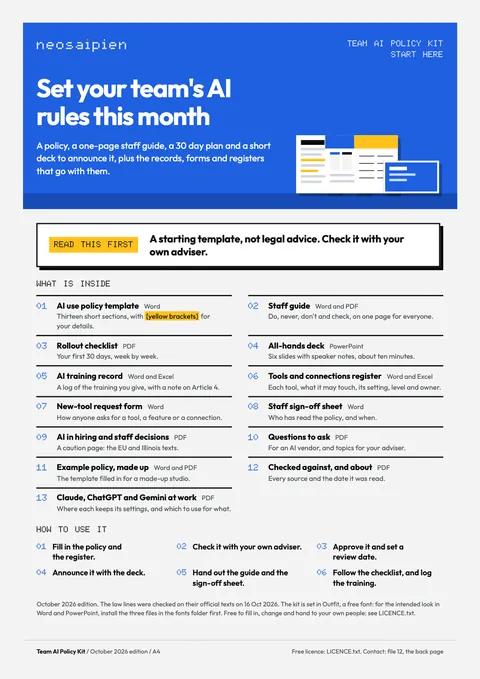
Set your team's AI rules this month: a policy, a staff guide, a 30 day plan and a deck to announce it.
Who it is for
Managers, team leads, operations and HR leads, and founders of small and mid-size organisations whose people use AI tools with no written rules.
What is inside
The 11 partsShowHide
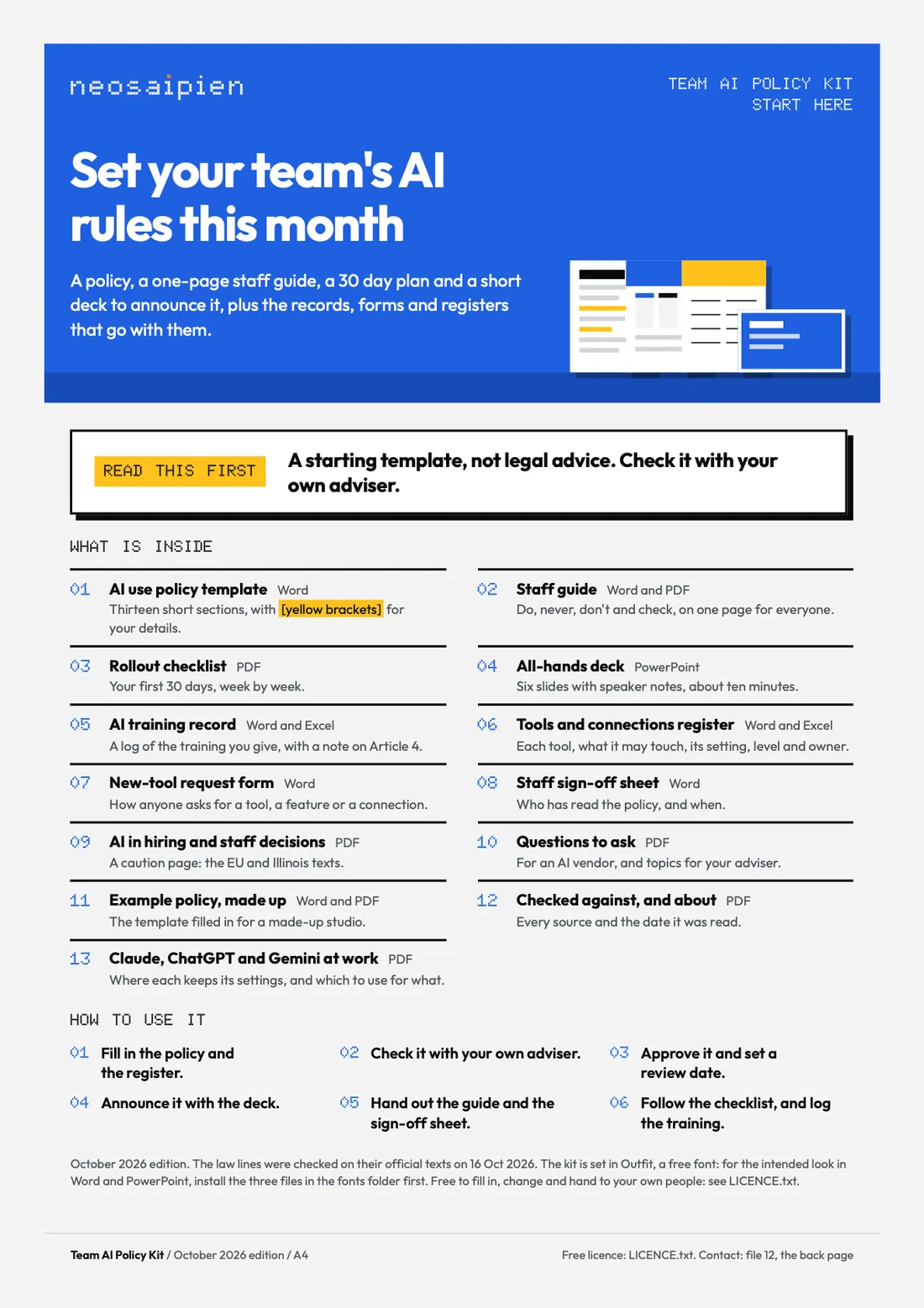
Start hereWhat is inside and six steps, on one page.
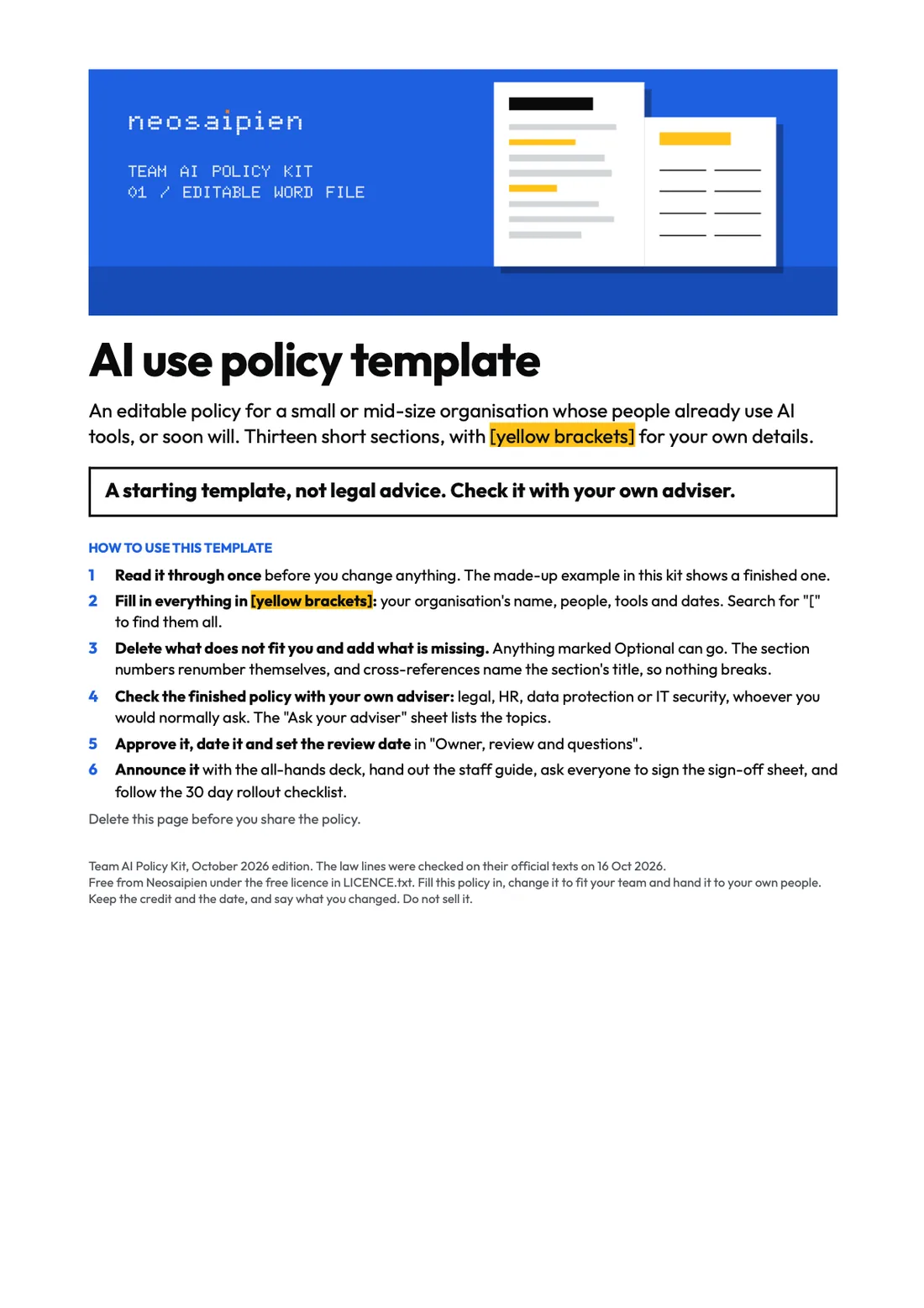
The AI use policy templateThirteen sections in Word, with [brackets] for your organisation's details.
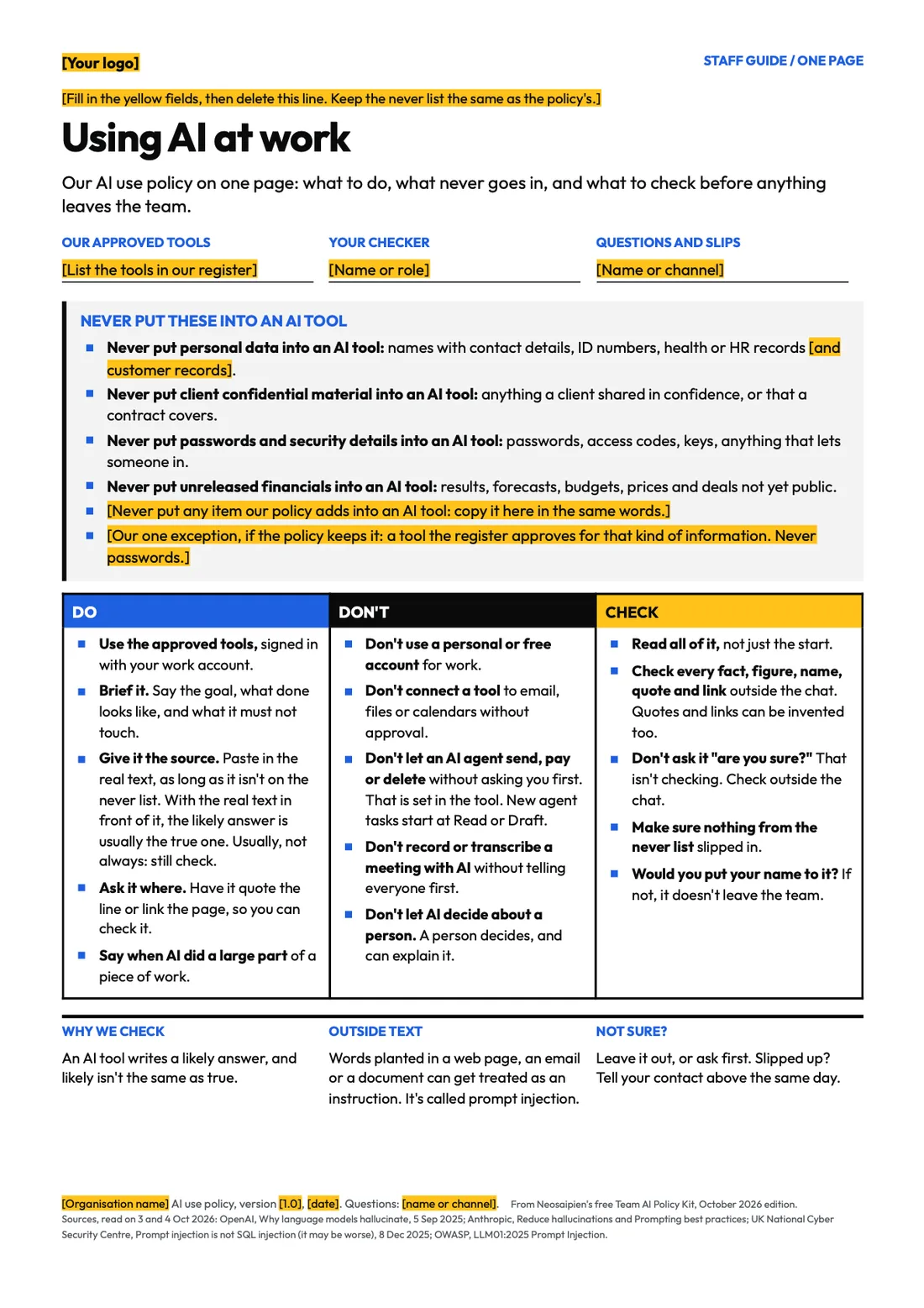
The one-page staff guideIn Word, with its blanks as fields, and as a print-ready PDF.
The manager's first 30 daysWeek by week, with boxes to tick.
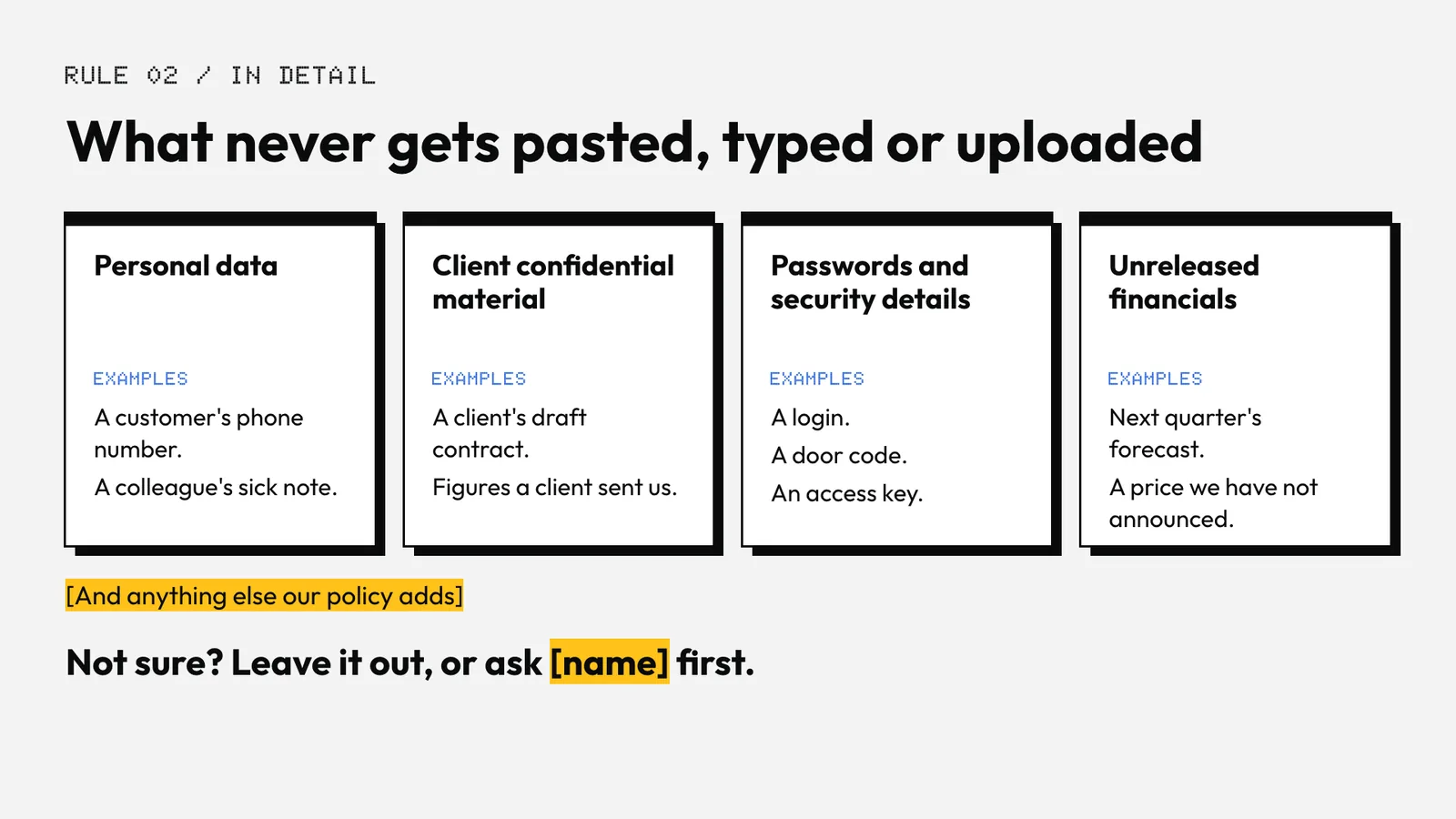
An all-hands deckSix slides with speaker notes, including what never gets pasted.
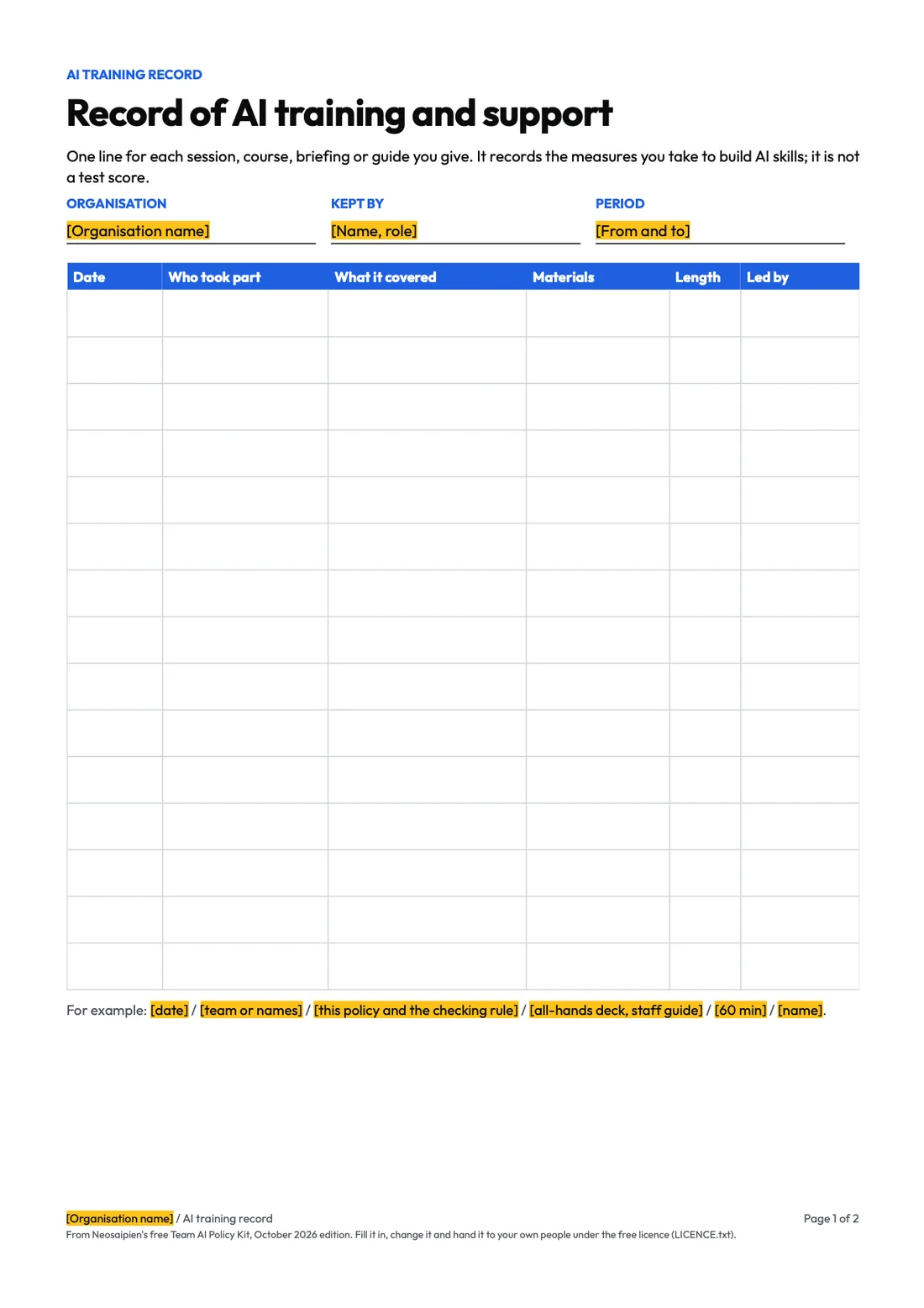
Records and formsA record of AI training and support, an AI tools and connections register (both in Word and Excel), a new-tool request form and a staff sign-off sheet.
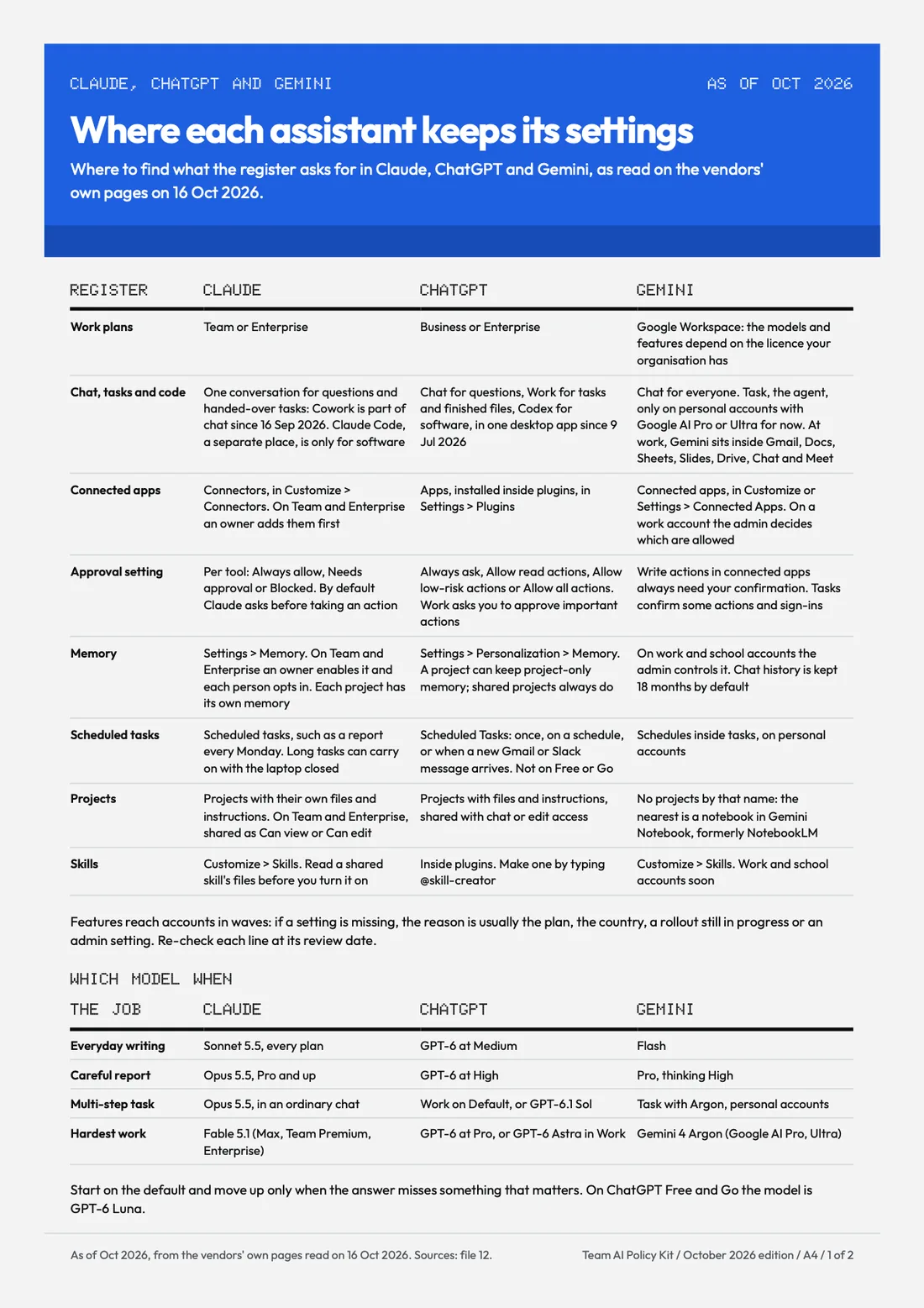
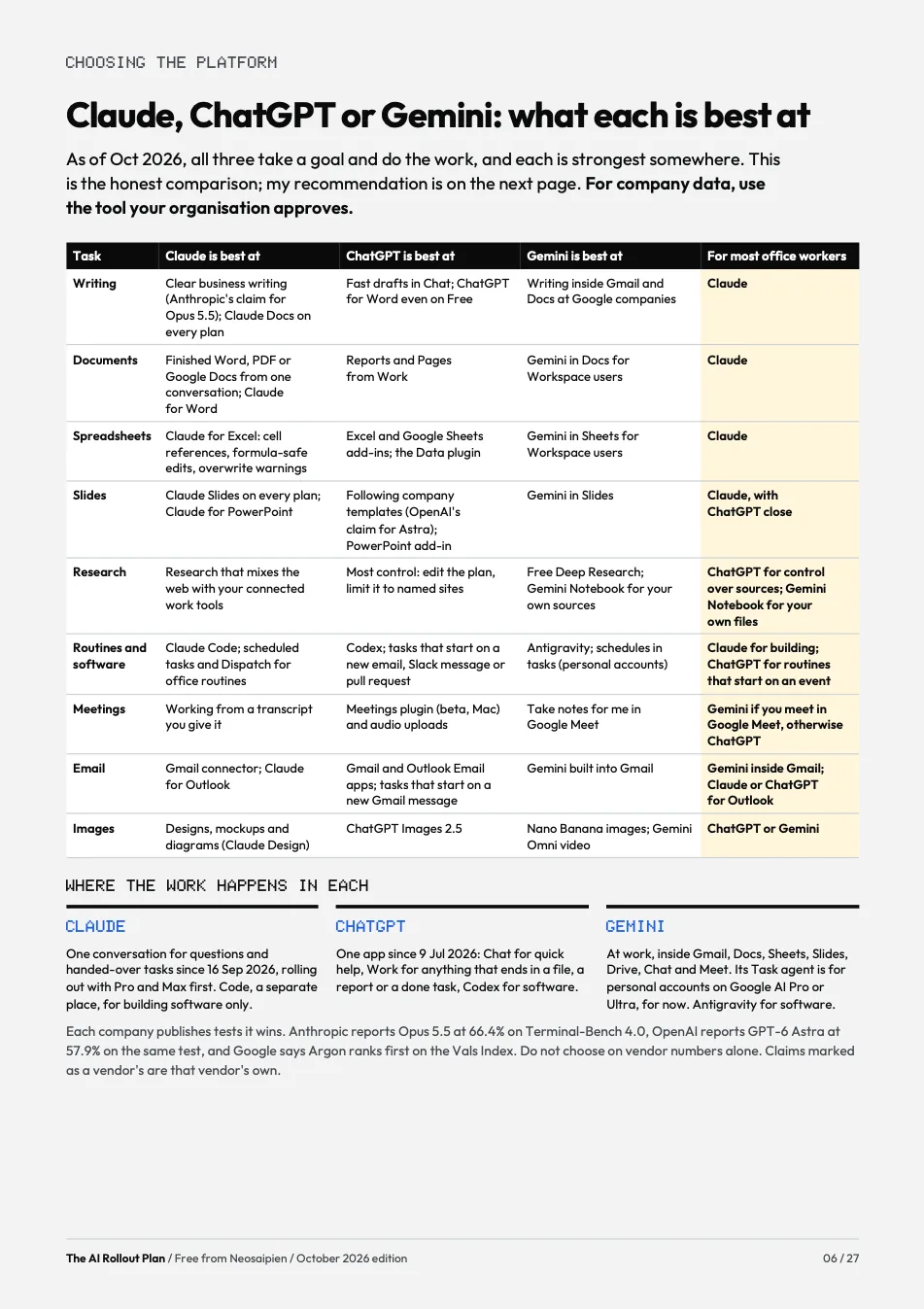
Claude, ChatGPT and Gemini at workAs of Oct 2026: where each keeps the settings the register asks for, which model to use when, which assistant for what with my recommendation, connectors and MCP in plain words, and nine checks before you approve a connection.
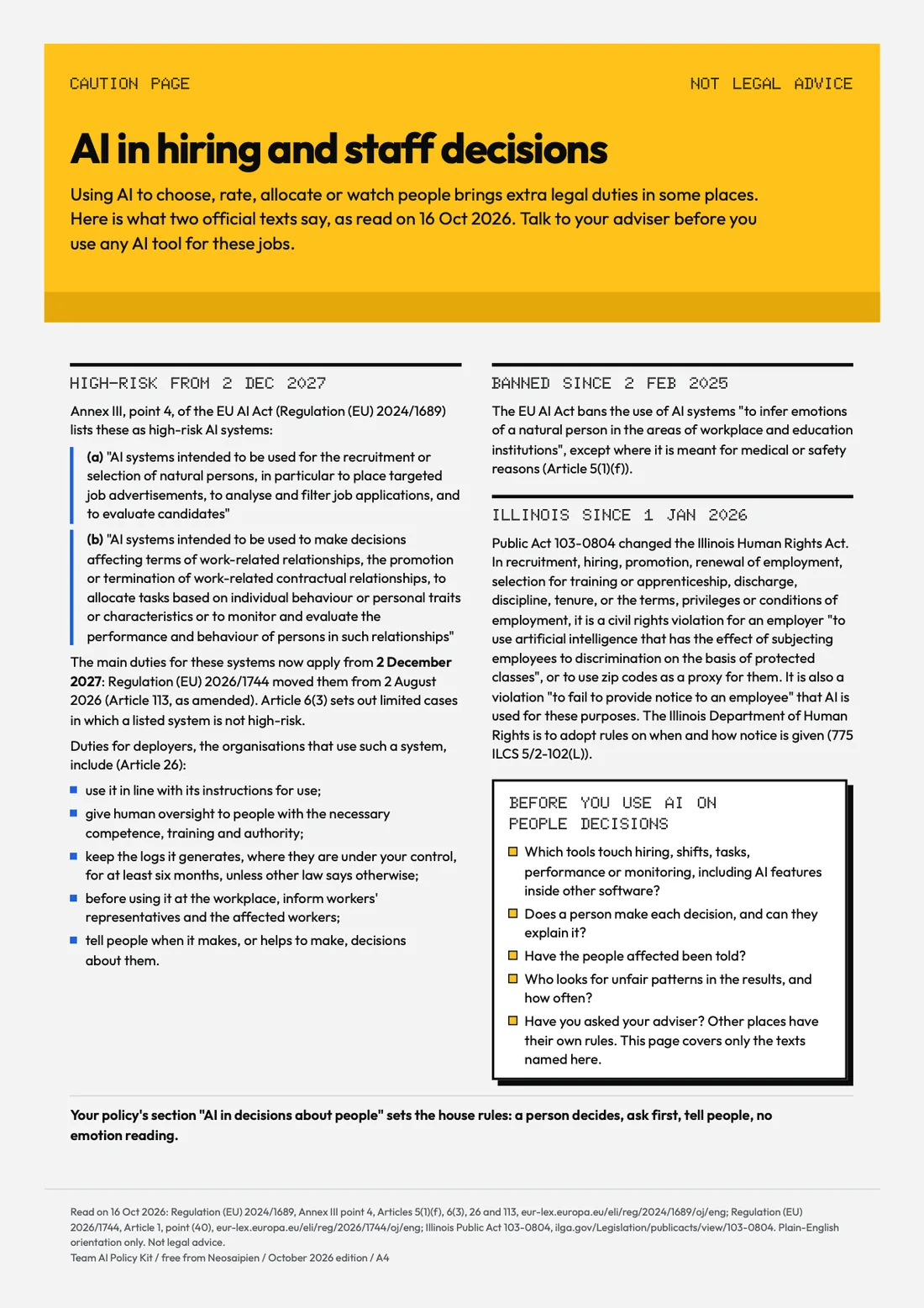
AI in hiring and staff decisionsA caution page. Not legal advice.
Questions to askQuestions for an AI vendor, and topics to ask your own adviser about.
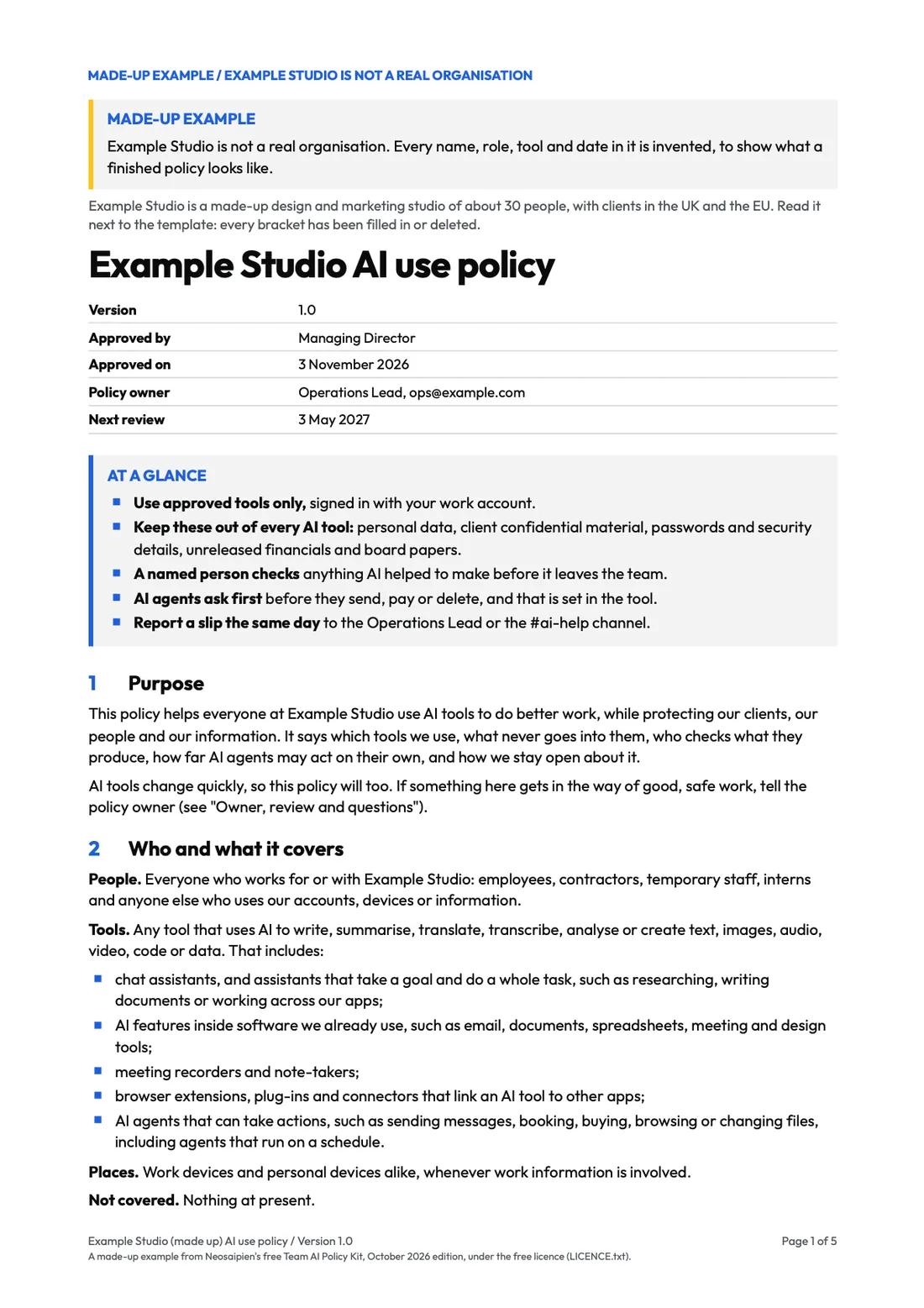
An example policyFilled in for a made-up organisation, labelled made up on every page.
Checked againstEvery source and the date it was read, plus the Outfit font files.
Start hereThe policy template, page 1Claude, ChatGPT and Gemini at workThe one-page staff guideAll-hands deck, slide 3Tools and connections registerRecord of AI trainingAI in hiring: the caution pageExample policy, made up
For your team · October 2026 edition
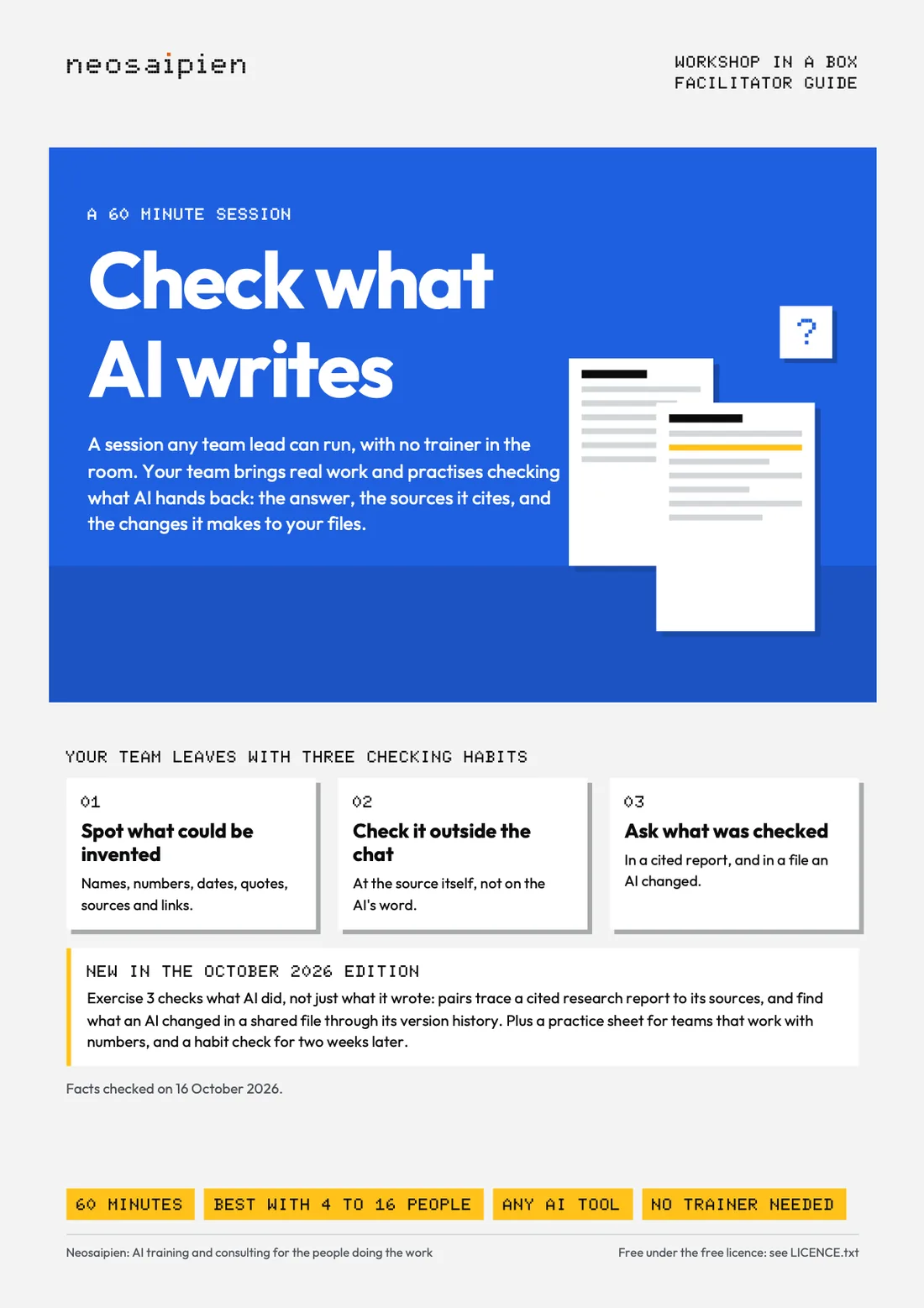
Workshop in a Box: Check What AI Writes
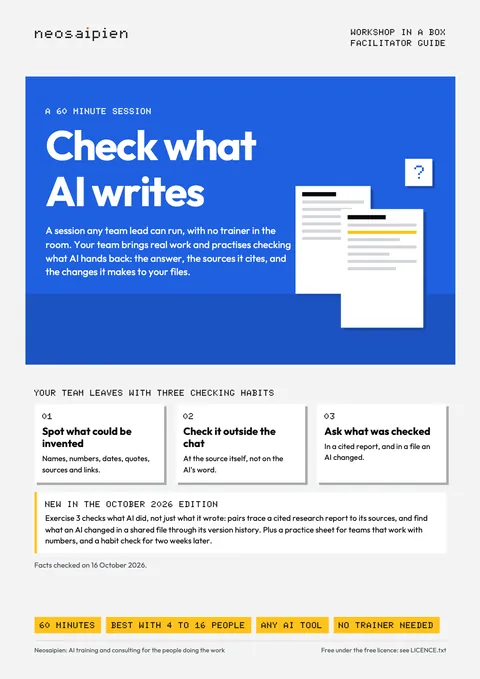
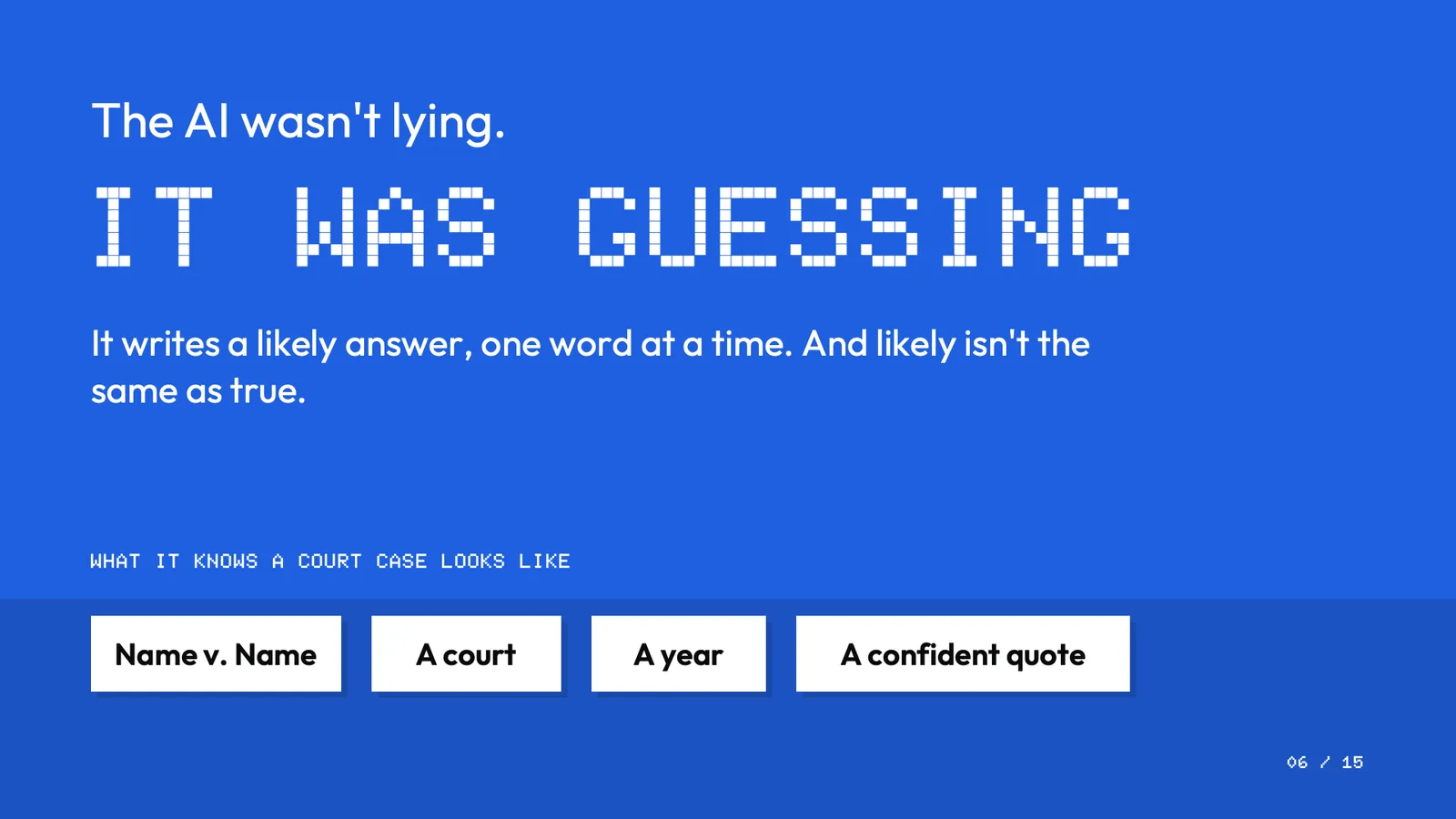
A 60 minute session any team lead can run: spot what could be invented, check it outside the chat, ask what was checked.
Who it is for
Team leads whose teams of 4 to 16 people use AI for real work (emails, reports, summaries, research, spreadsheets) and who want to run the training themselves.Working on your own? The AI Fact-Check Kit is the same routine (Sort, List, Trace, Hedge, Log) for one person.
What is inside
The 5 partsShowHide
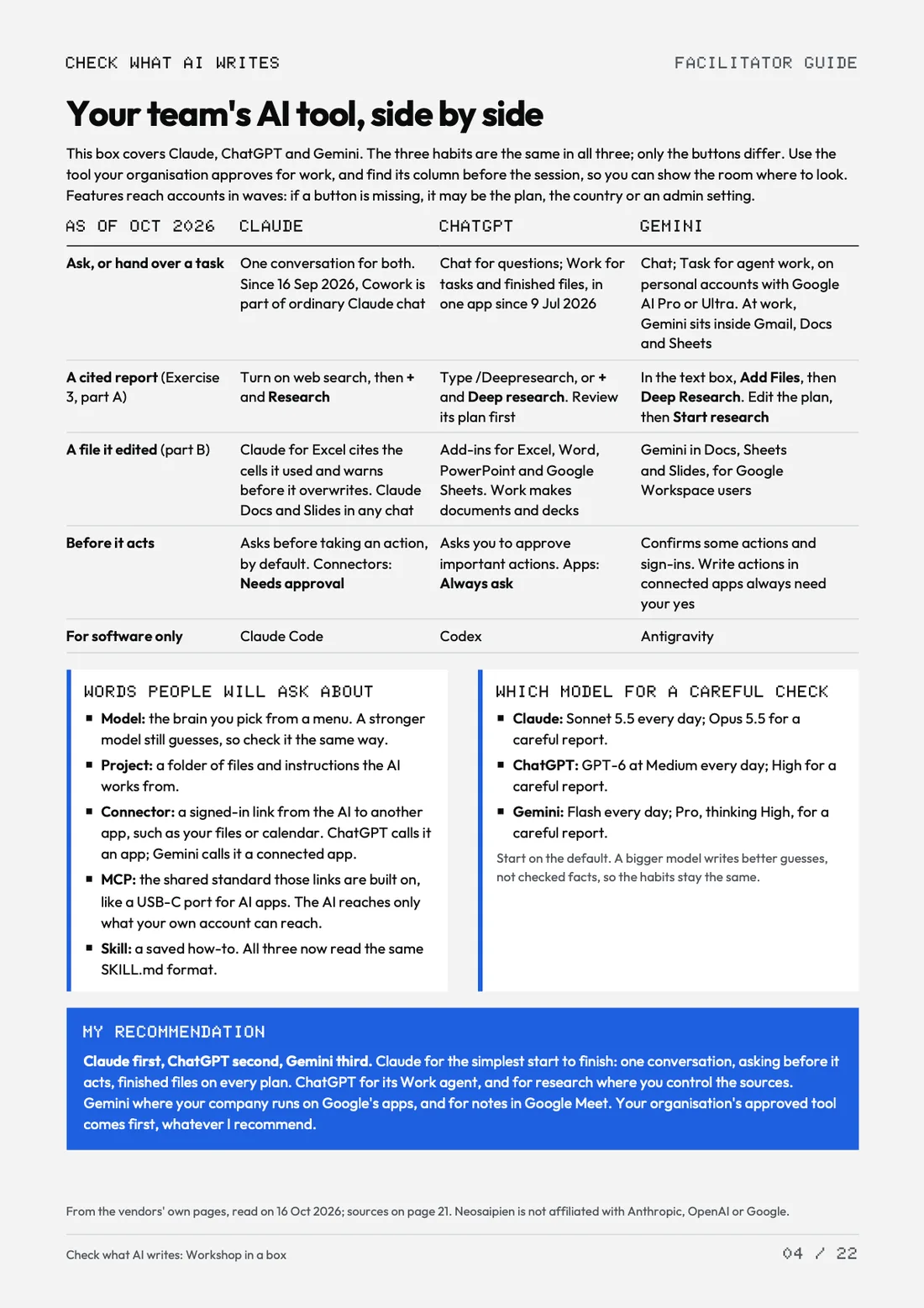
Facilitator guide, 22 pagesPreparation, Claude, ChatGPT and Gemini side by side (where each keeps its cited reports, its edits and its approvals, which model to use, plain words for model, project, connector, MCP and skill, and my recommendation), the 60 minutes minute by minute (timings labelled as estimates), what to say, three exercises, four practice sheets with answer keys, the debrief, questions people ask, and Checked against.
15 slidesPowerPoint with speaker notes, and the same as a PDF.
A one-page participant handoutThe three checking habits, the routine (Sort, List, Trace, Hedge, Log) and boxes to write in.
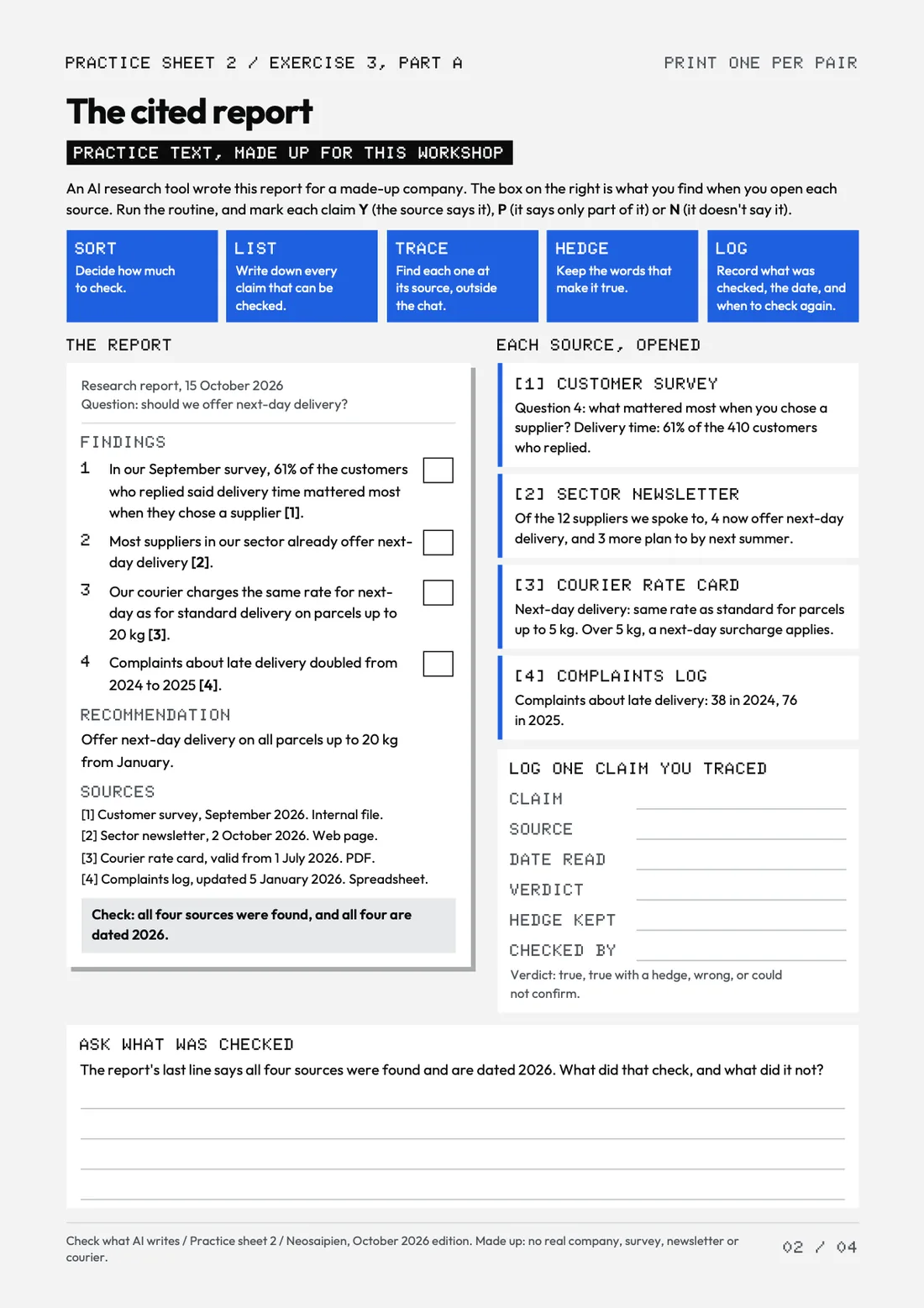
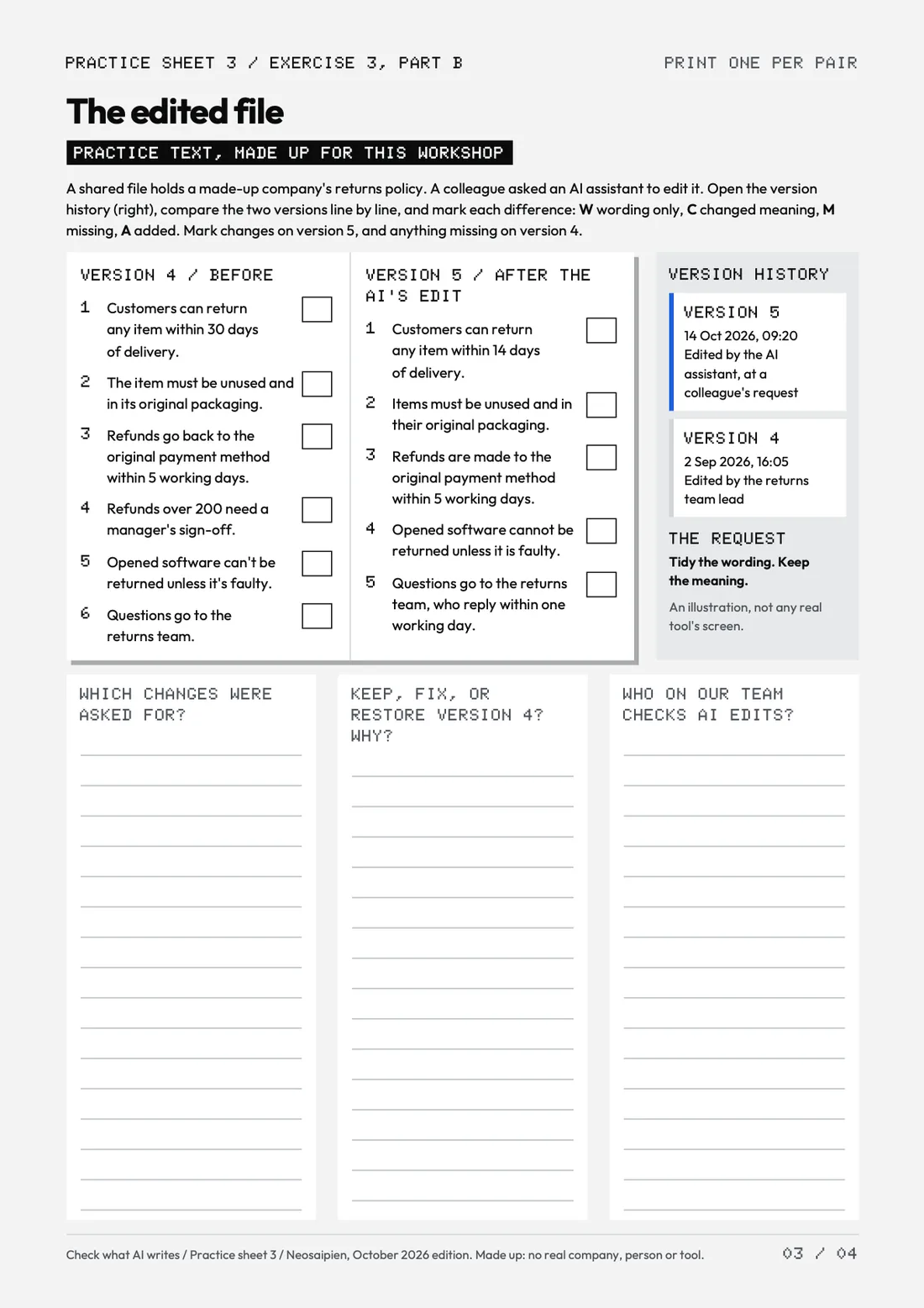
Four practice sheetsWithout answers: the desk move, the cited report, the edited file, and the ticket figures for teams that work with numbers.
Four emails and a feedback formThe invite, the follow-up, a two-week habit check and the feedback question, ready to paste, and a one-question feedback form in Word. With the fonts and a read-me.
Facilitator guide, coverFacilitator guide: your team's AI tool, side by sideSlide 1Slide 6Practice sheet: the cited reportPractice sheet: the edited file
For your team · October 2026 edition
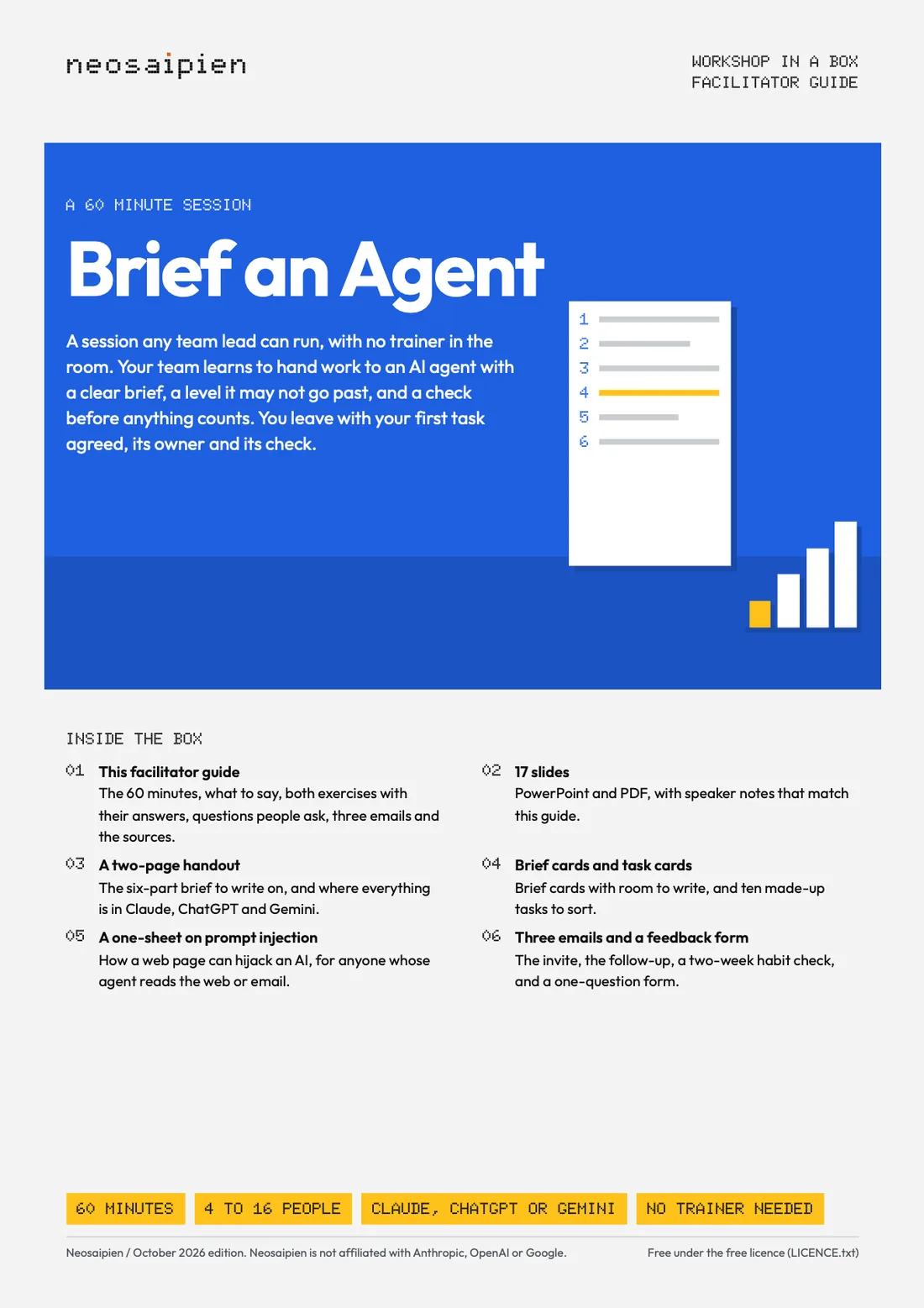
Workshop in a Box: Brief an Agent
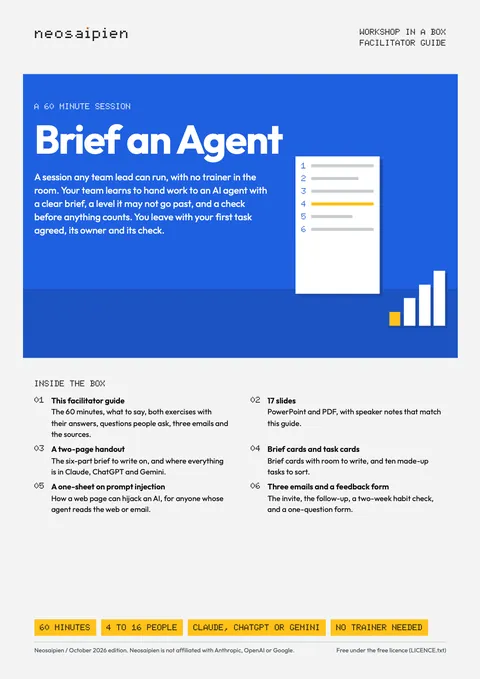
A 60 minute session any team lead can run: hand work to AI agents in Claude, ChatGPT or Gemini, and stay in charge.
Who it is for
Team leads whose team is starting to hand work to Claude, ChatGPT Work or tasks in Gemini: 4 to 16 people, with no trainer in the room.Learning on your own? Start with the free 2026 AI Starter or the Agent Playbook.
What is inside
The 6 partsShowHide
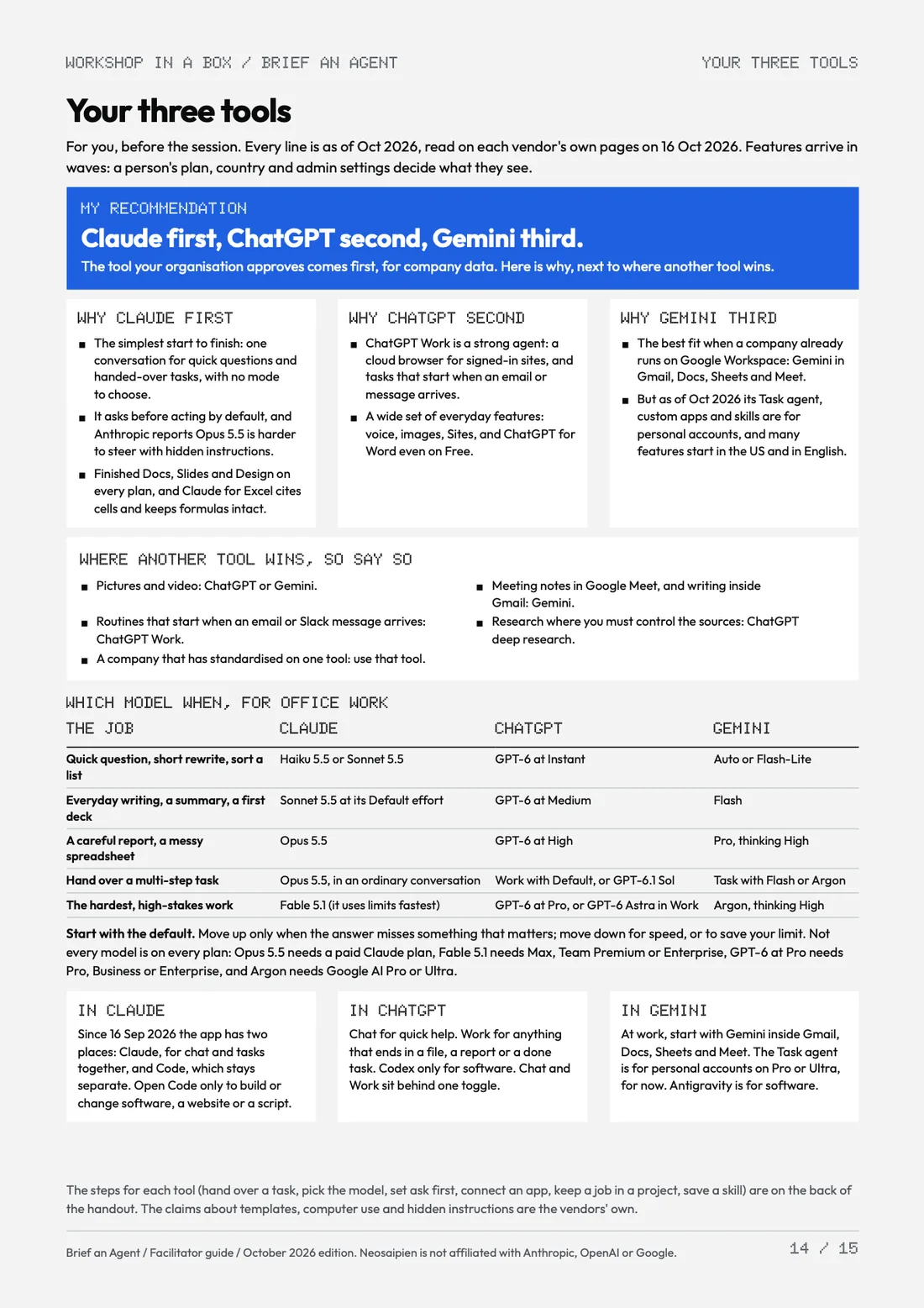
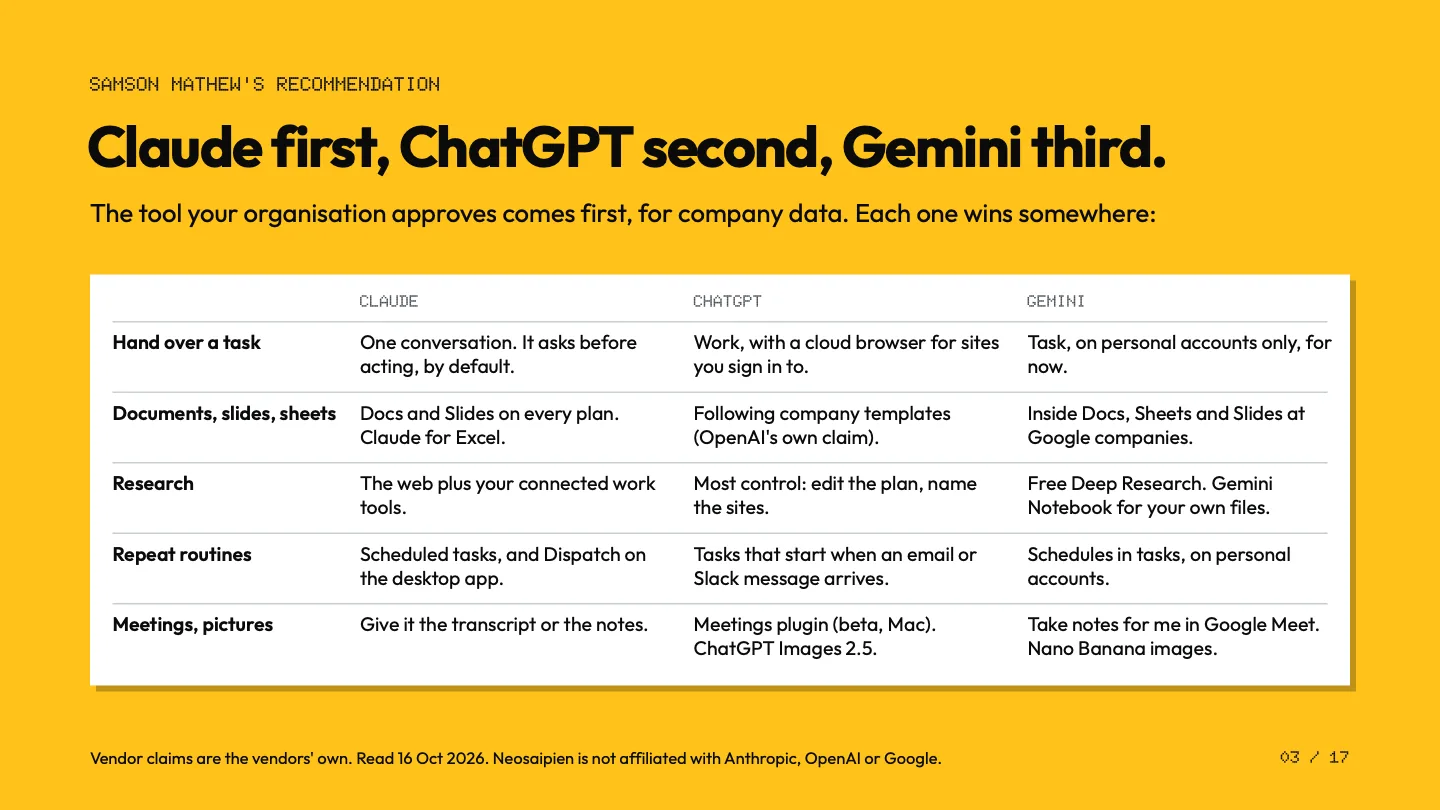
Facilitator guide, 15 pagesPreparation, the 60 minutes minute by minute, what to say, the five checks, connectors and MCP in plain words, both exercises with their answers, questions people ask, your three tools (my recommendation, where each one wins, which model when), and Checked against.
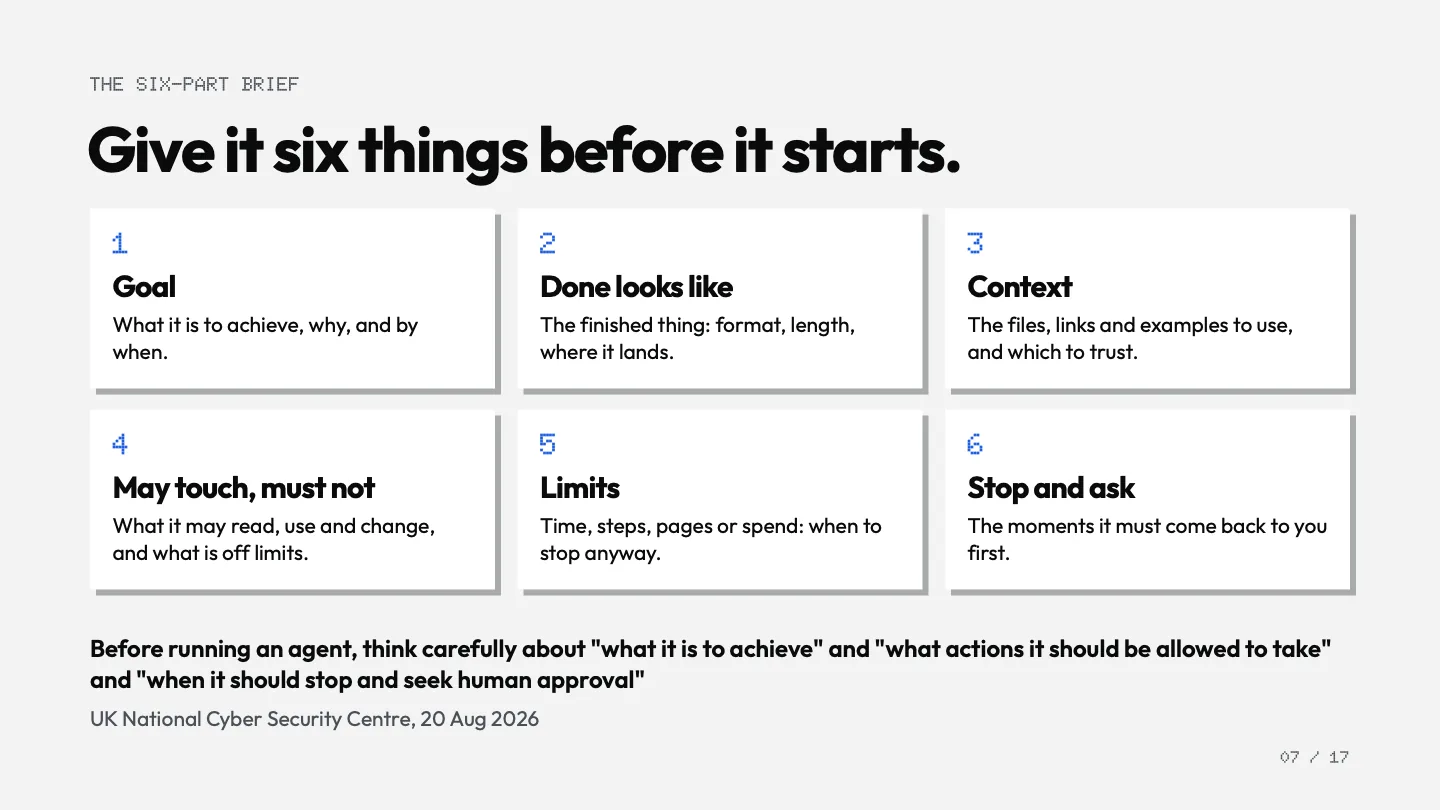
17 slidesPowerPoint with speaker notes that match the guide, and the same as a PDF.
A two-page participant handoutThe six-part brief as write-on fields, the four levels, the three questions, the five checks and the team's first task; on the back, where each step is in Claude, ChatGPT and Gemini, start to end.
Brief cards and task cardsThree pages inside 10 mm margins, with cut marks: brief cards, ten made-up task cards and blanks.
A one-sheetHow a web page can hijack your AI.
Three emails and a feedback formThe invite, the follow-up, a two-week habit check, and a one-question form in Word, with the fonts and a read-me.
Facilitator guide, coverSlide 1Facilitator guide: your three toolsSlide 3Participant handoutBrief cards and task cardsSlide 7: a brief, before
For your organisation · October 2026 edition
The AI Rollout Plan
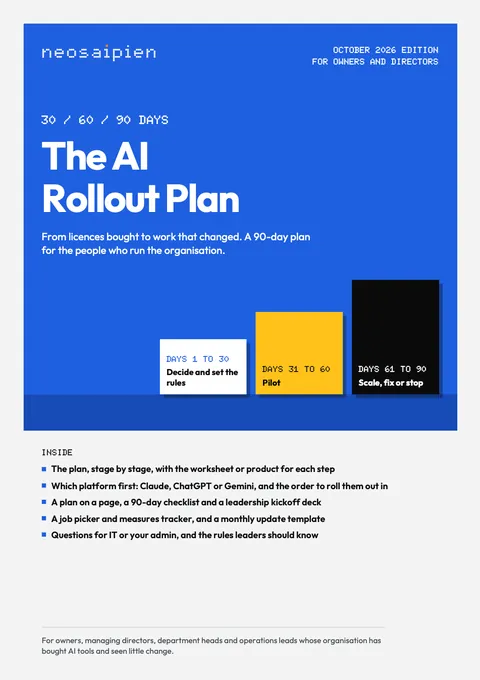
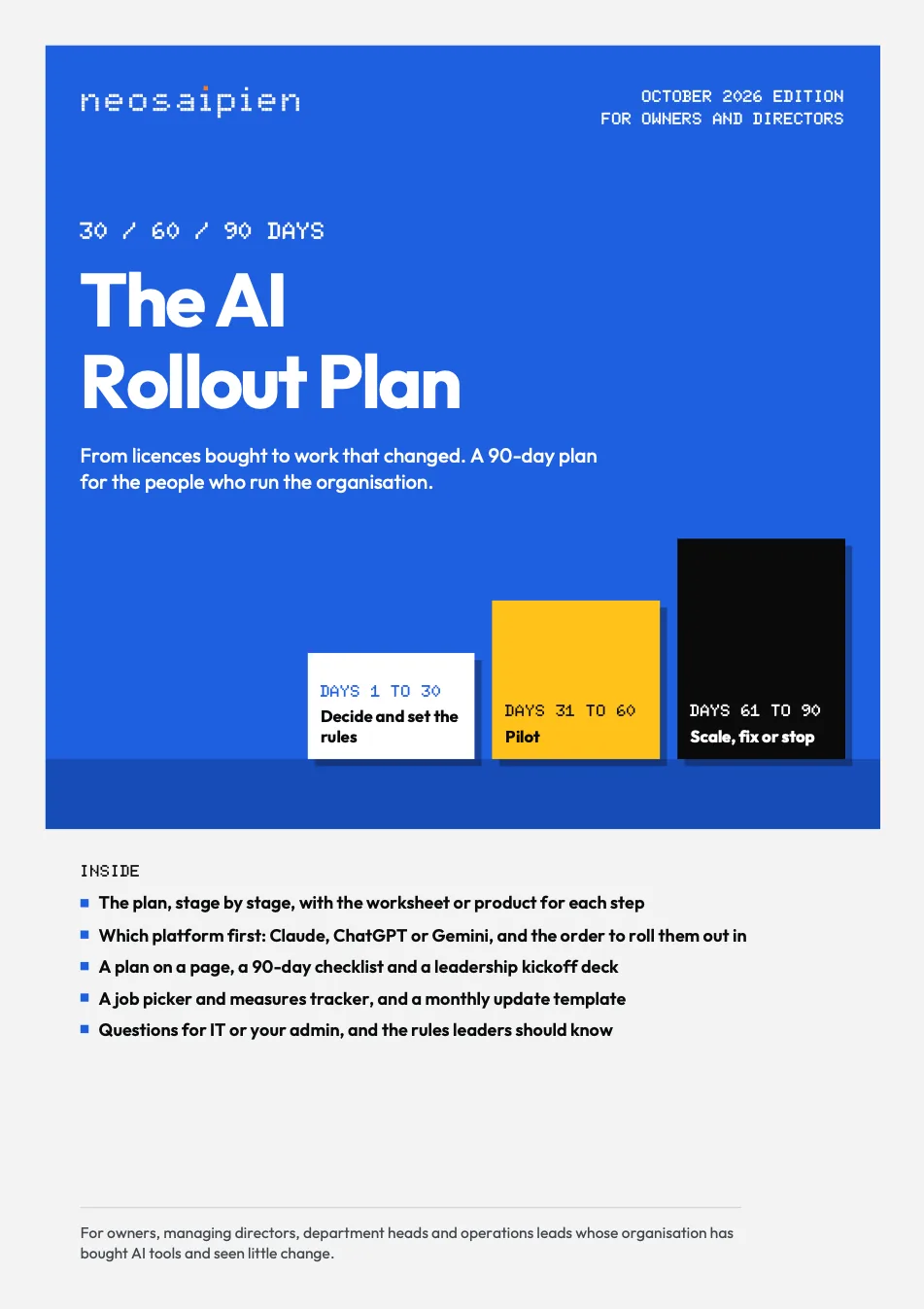
30-60-90 days: from AI tools switched on to work that changed, on one main platform.
Who it is for
Owners, managing directors, department heads and operations leads deciding how a whole organisation takes up AI, and on which platform (Claude, ChatGPT or Gemini), especially where the tools are in place but little has changed.
What is inside
The 5 partsShowHide
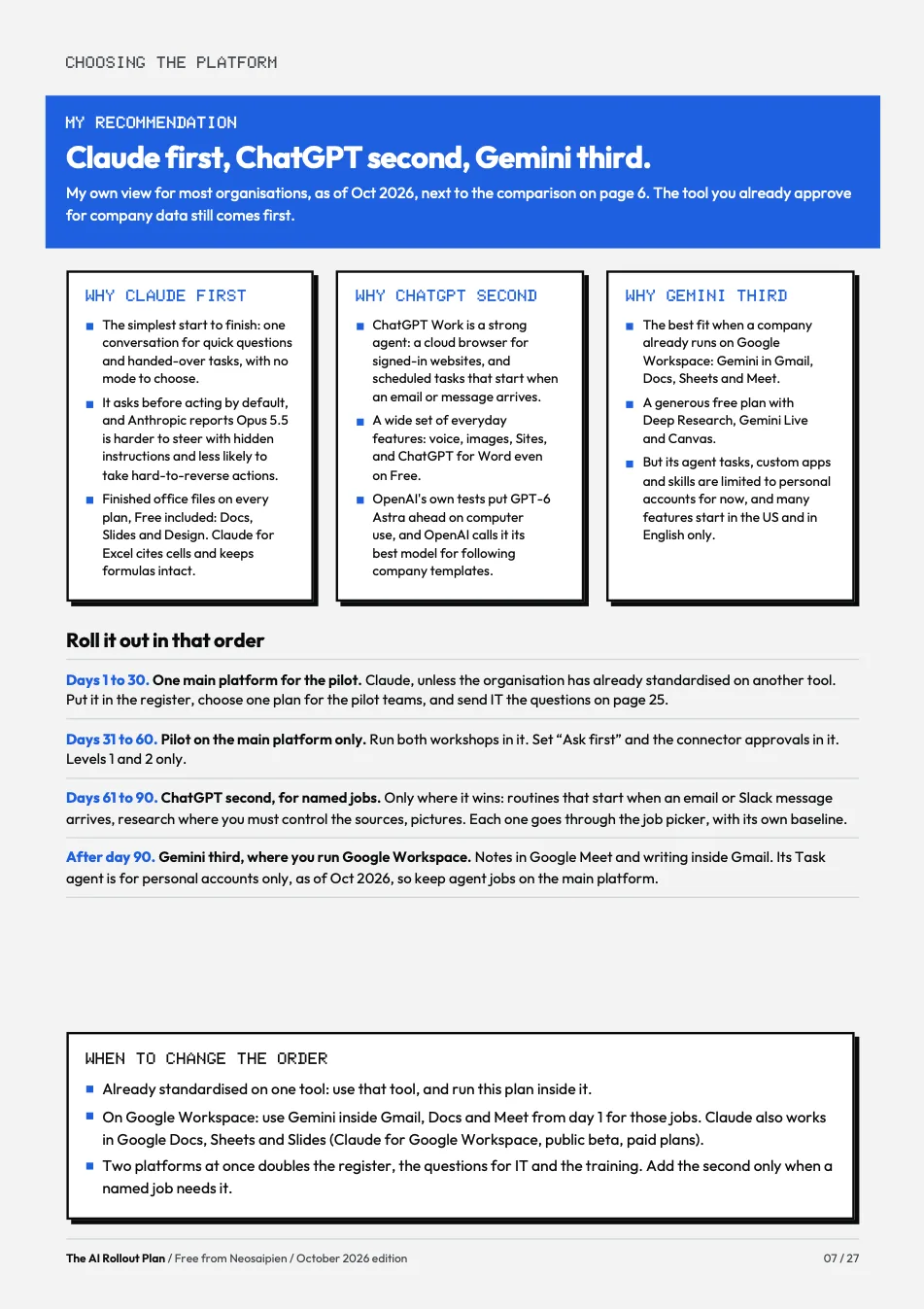
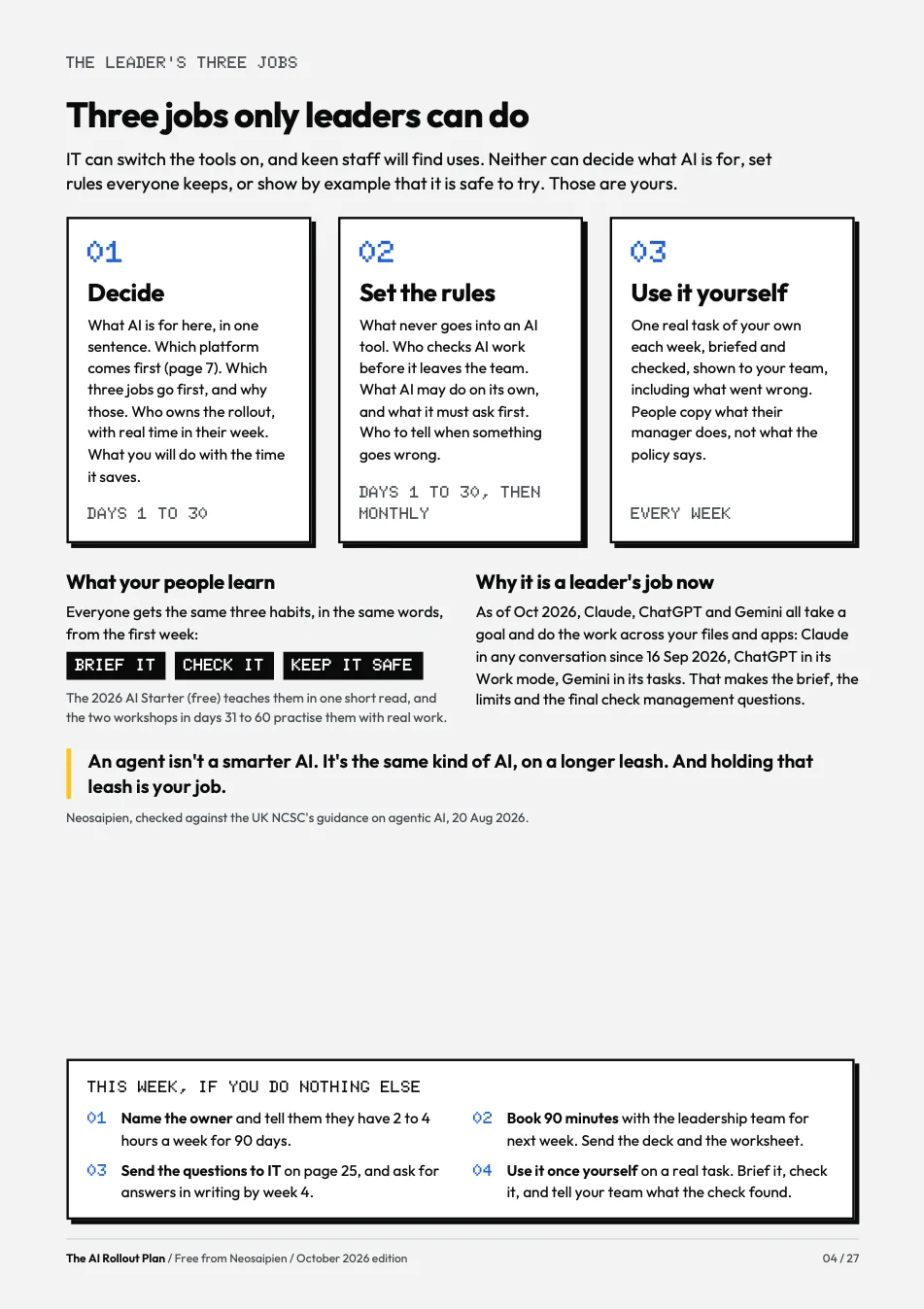
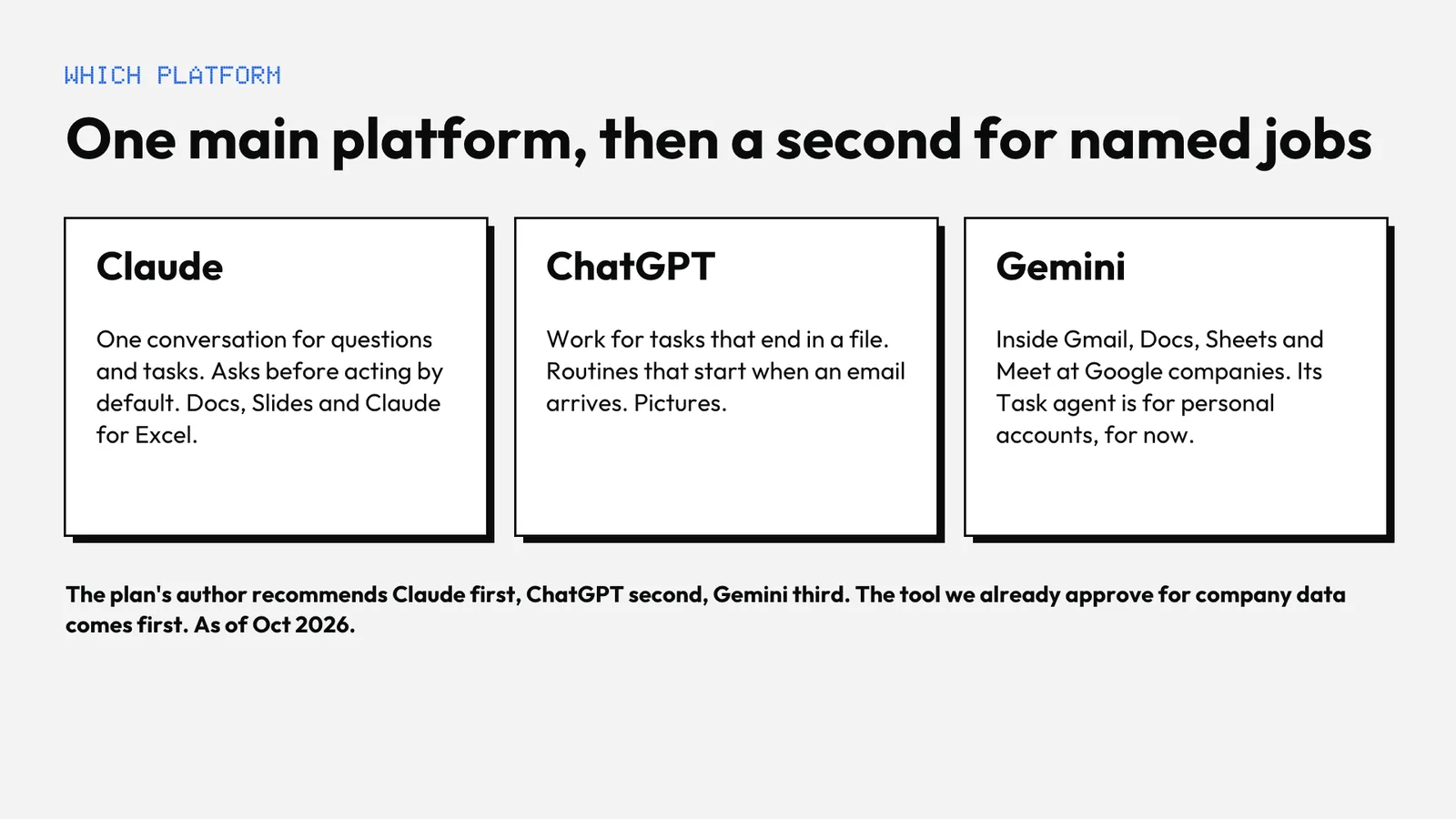
The plan, 27 pagesThe leader's three jobs; choosing the platform (what Claude, ChatGPT and Gemini are each best at, my recommendation and the order to roll them out in, and five things to set up for everyone: connectors and MCP, projects, skills, memory, which model when); days 1 to 30, decide and set the rules; days 31 to 60, a two-team pilot at levels 1 and 2; days 61 to 90, scale, fix or stop; measuring, cost, rules for leaders (not legal advice), questions for IT, and Checked against.
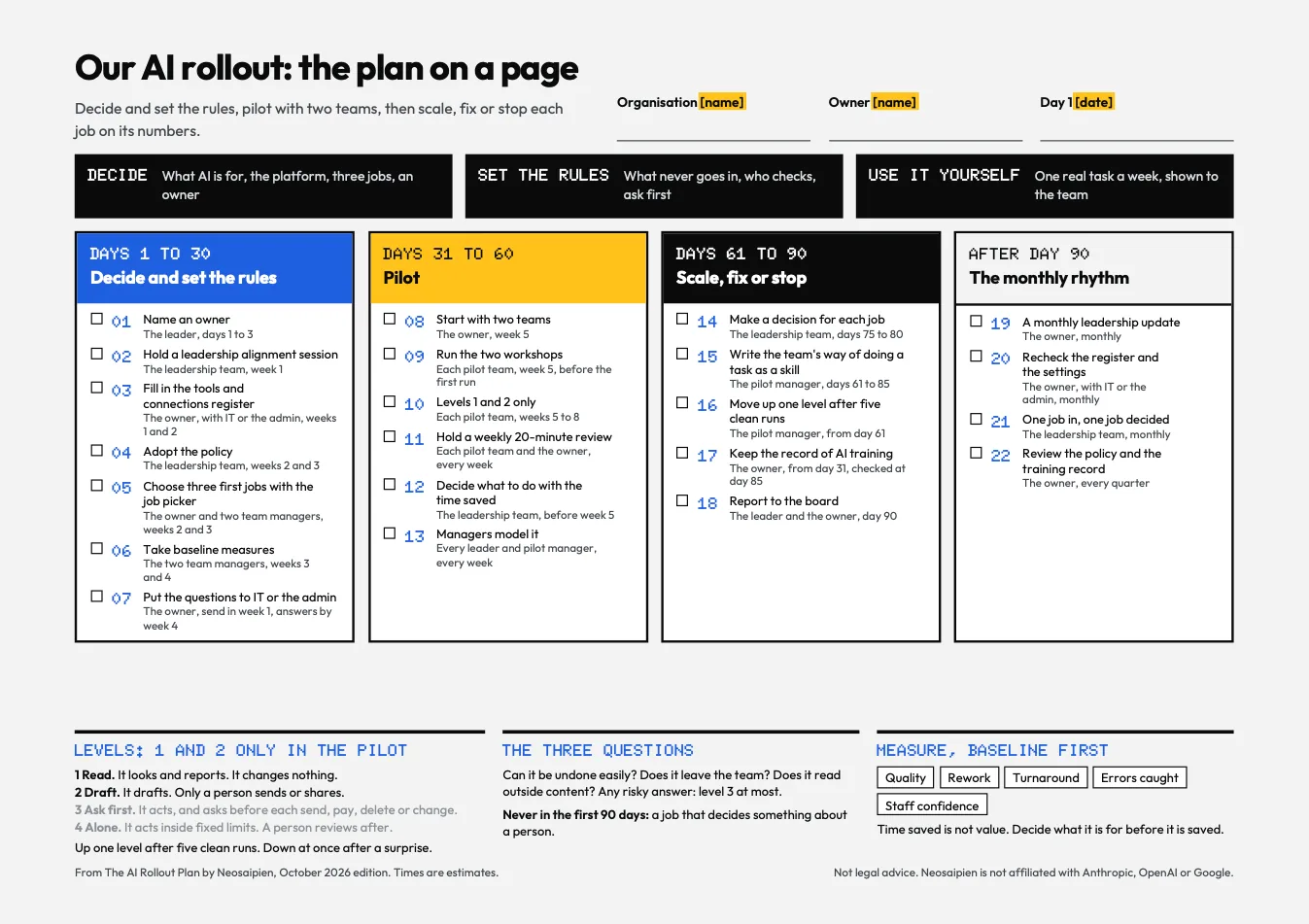
Plan on a pageOne landscape page to pin up, and the same as an editable one-slide PowerPoint.
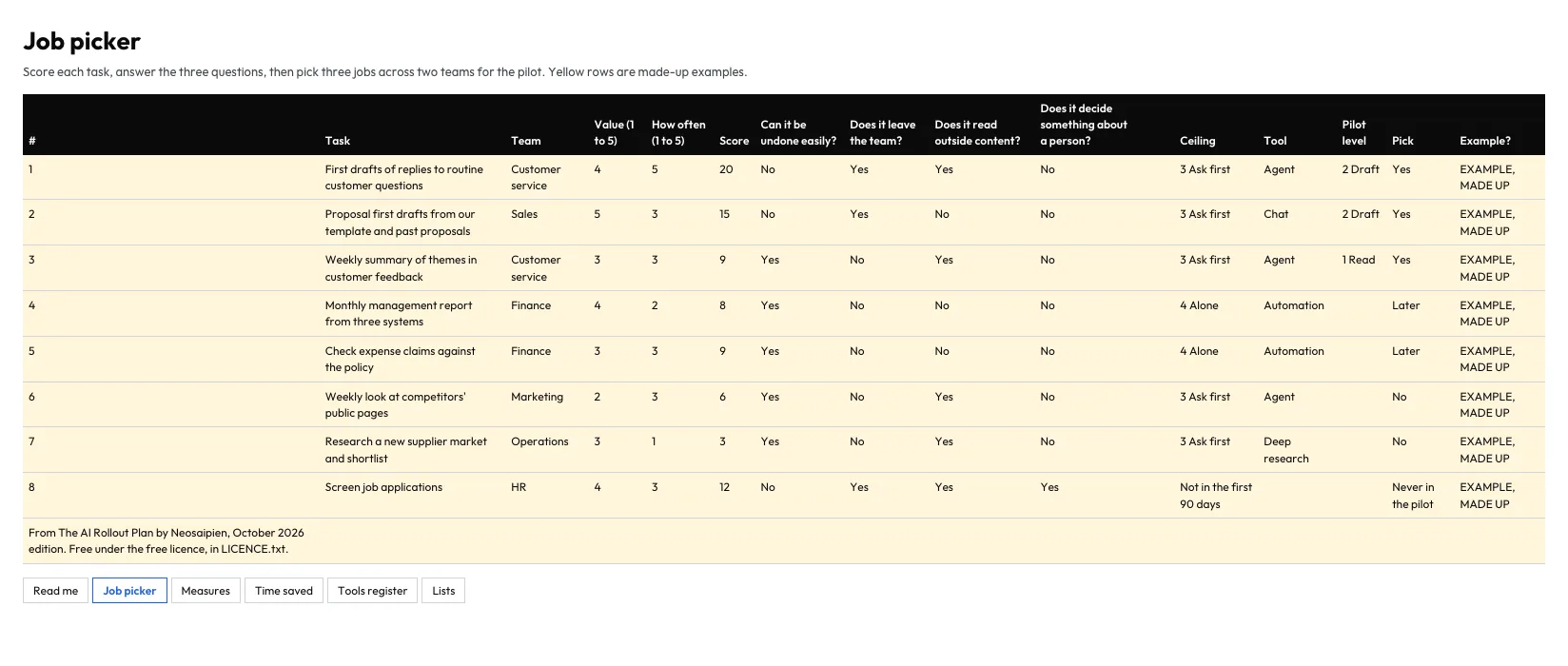
A job picker and measures trackerIn Excel and CSV: tasks scored on value and how often, which platform for which job and which model when, and five measures per job against a baseline. Example rows are made up and marked.
A leadership kickoff deckNine slides with speaker notes, for the leadership meeting, including one on the main platform.
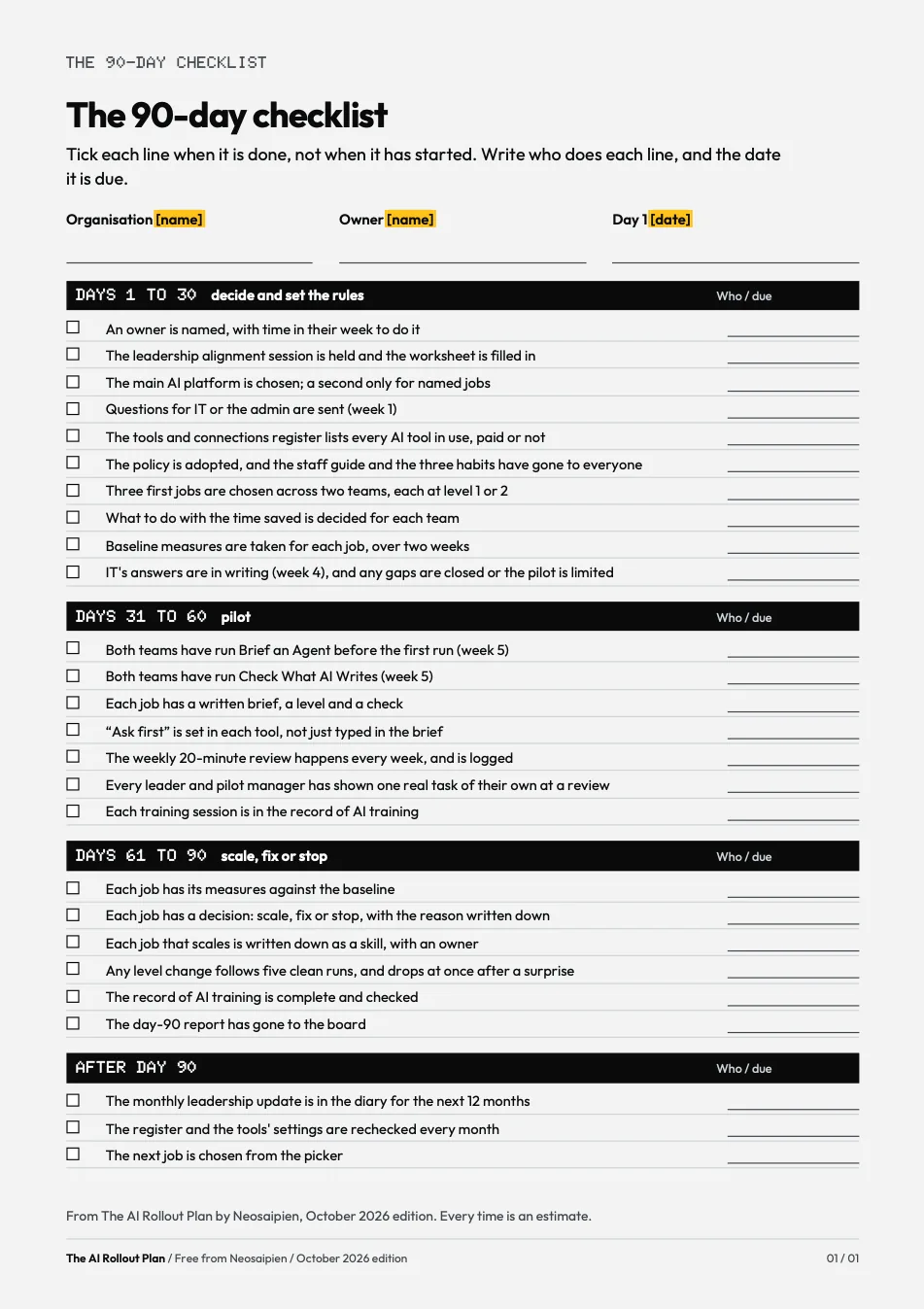
Checklists and templatesA 90-day checklist, a monthly leadership update, a leadership alignment worksheet, and questions for IT or your admin.
The plan, coverThe plan: what each one is best atThe plan: my recommendationThe plan: 90 days at a glancePlan on a pageLeadership kickoff deck: one main platformThe 90-day checklistJob picker, in Excel
The Team Pack · every kit
Everything, in one download.
All eight kits in one ZIP, with a 90-day programme that runs them in order.
Every kit on this page in one ZIP, with a 90-day programme that runs them in order on Claude, ChatGPT or Gemini.
Who it is for
An organisation that wants the whole set at once, run as a 90-day programme on Claude, ChatGPT or Gemini. Usually it comes after the AI Rollout Plan or a call.Just for yourself? Start with the free 2026 AI Starter or the Agent Playbook.
What is inside
The 4 partsShowHide
Every other kit on this pageThe AI Rollout Plan, the Team AI Policy Kit, the 2026 AI Starter, both Workshops in a Box, the AI Fact-Check Kit, the Agent Playbook and What Changed, each in its own folder, exactly as it downloads on its own.
IndexEvery piece, its files by name and its edition.
Contents guideFor each piece: who uses it, when in the programme, what is inside, and how to share it inside the organisation, including installing the skills in Claude, ChatGPT and Gemini; with my recommendation next to where each tool is strongest.
The 90-day programmeWeek 0, weeks 1 to 4, 5 to 8, 9 to 12, then monthly, each step with its file, a role and an estimated time. Plus a one-page wall chart.
The 2026 AI StarterThe AI Fact-Check KitThe Agent PlaybookWhat ChangedThe Team AI Policy KitWorkshop in a Box: Check What AI WritesWorkshop in a Box: Brief an AgentThe AI Rollout Plan
Why now
The tools changed this year. So did the skill.
Four things, each read on its source page on 16 Oct 2026. The numbers point to the list at the foot of this page.
01
The assistants act
As of Oct 2026, all three take a task, not just a question. Since 16 Sep 2026, Cowork is part of ordinary Claude: one conversation takes a quick question or a whole task, and asks before it acts. Since 9 Jul 2026, one ChatGPT desktop app holds Chat, Work and Codex, and Work carries a task through to a finished file. Gemini has Task, for personal accounts on Google AI Pro or Ultra.
Sources 1 to 4
02
Wording matters less
Anthropic’s engineers write that “the exact formatting of prompts is likely becoming less important as models become more capable”. Prompt wording still helps. It is no longer the main skill.
Source 5
03
Checking is the skill
In Microsoft’s 2026 Work Trend Index, a survey of 20,000 workers using AI in 10 countries, AI users named “quality control of AI output” the most important human skill: 50%, ahead of critical thinking at 46%. Microsoft sells AI services, and the survey is self-reported.
Source 6
04
Most people don’t check
In KPMG and the University of Melbourne’s study of more than 48,000 people in 47 countries, surveyed from November 2024 to mid-January 2025: “Many rely on AI output without evaluating accuracy (66%)”.
Source 7
Neosaipien is not affiliated with Anthropic, OpenAI or Google. The Work Trend Index is Microsoft's survey.
With me
Rather have me run it?
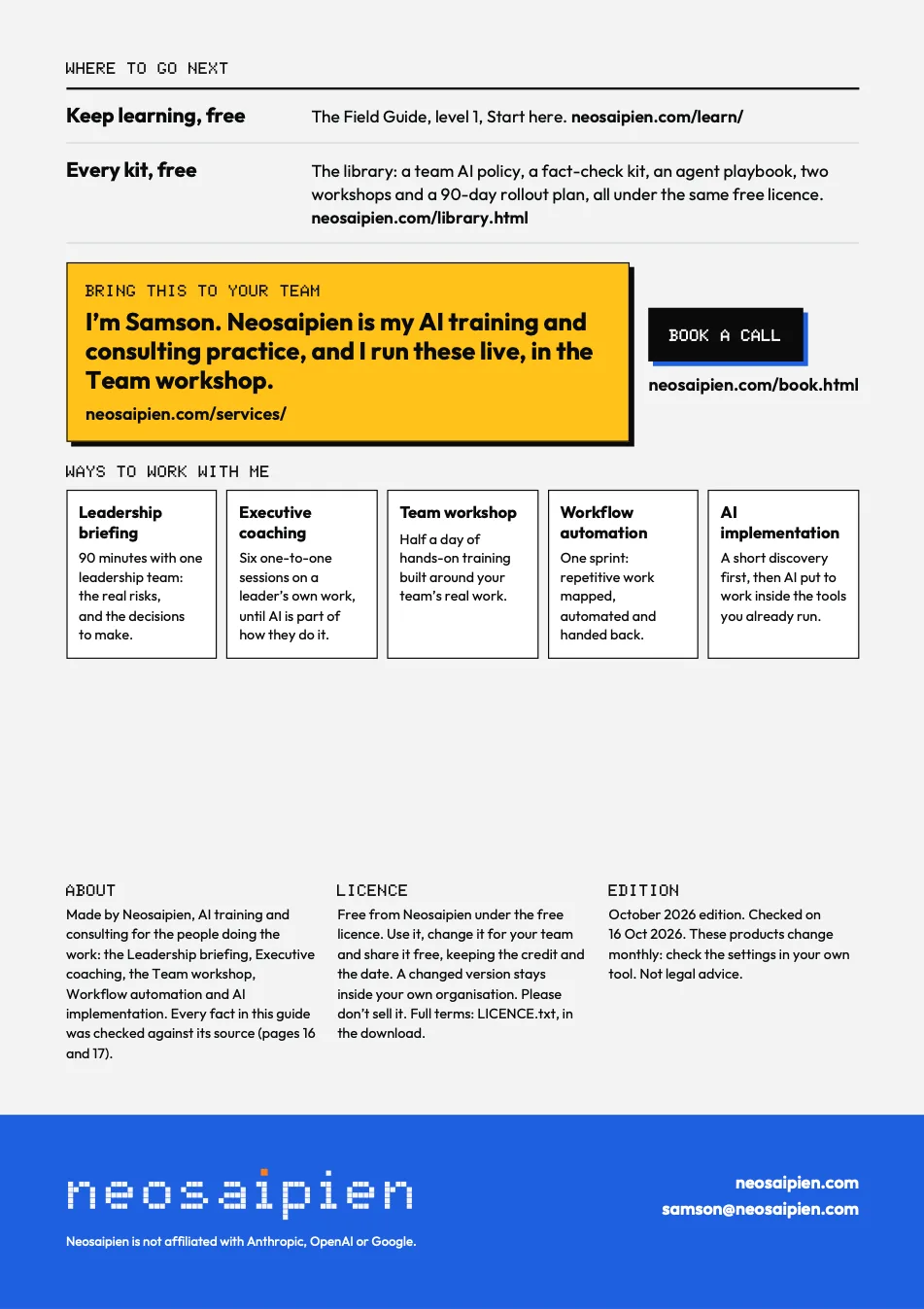
I run these as live workshops, set up the first agents with you, or work with the leader through the 90 days. We shape each one together on a 20-minute call.
Use it as much as you like, at work or at home, in any organisation.
Change it to fit your team. Templates are meant to be filled in and edited.
Hand your changed version to people inside your own organisation, team, class or group, as long as it keeps the credit and the date and says it was changed.
Share unchanged copies with anyone, free of charge, with the credit and the date, or post an unchanged copy or a link to it.
02
You may not
Sell it, charge for access to it, or put it inside something you sell.
Publish a changed version for people outside your own organisation, team, class or group.
Present it as your own work, or remove the credit or the date.
03
The credit and the date
Keep the credit and the date that are on the file: our name, Neosaipien, and the edition, such as “October 2026 edition”. The date tells the next reader how old the facts are, and AI tools change every month. On a changed version, add a line such as “Adapted from Neosaipien, October 2026 edition”.
04
Not advice
It is free and given as it is. It is not legal, HR, financial or other professional advice, and it does not promise any result. Check what AI tools produce before you use it.
In every download
The full licence is in every download as LICENCE.txt, with the name and edition of the kit it came with.
Updates
Each kit was checked on the vendors’ pages on the date it shows. These products change monthly. Check the settings in your own tool.
What each kit holds comes from its own files, read on 16 Oct 2026. Each kit has its own Checked against page inside. Every vendor line on this page was checked on the vendors' own pages on 16 Oct 2026. Neosaipien is not affiliated with Anthropic, OpenAI or Google.