What can AI do for a sales team now?
AI preps your calls and drafts your follow-ups. Every send and CRM change stays yours.
A great call on Monday
By Friday, the follow-up still isn't sent.

Three stations, one deal
A keen new assistant helps at each. You sign off.
- Before: a brief
- During: notes
- After: follow-up and update
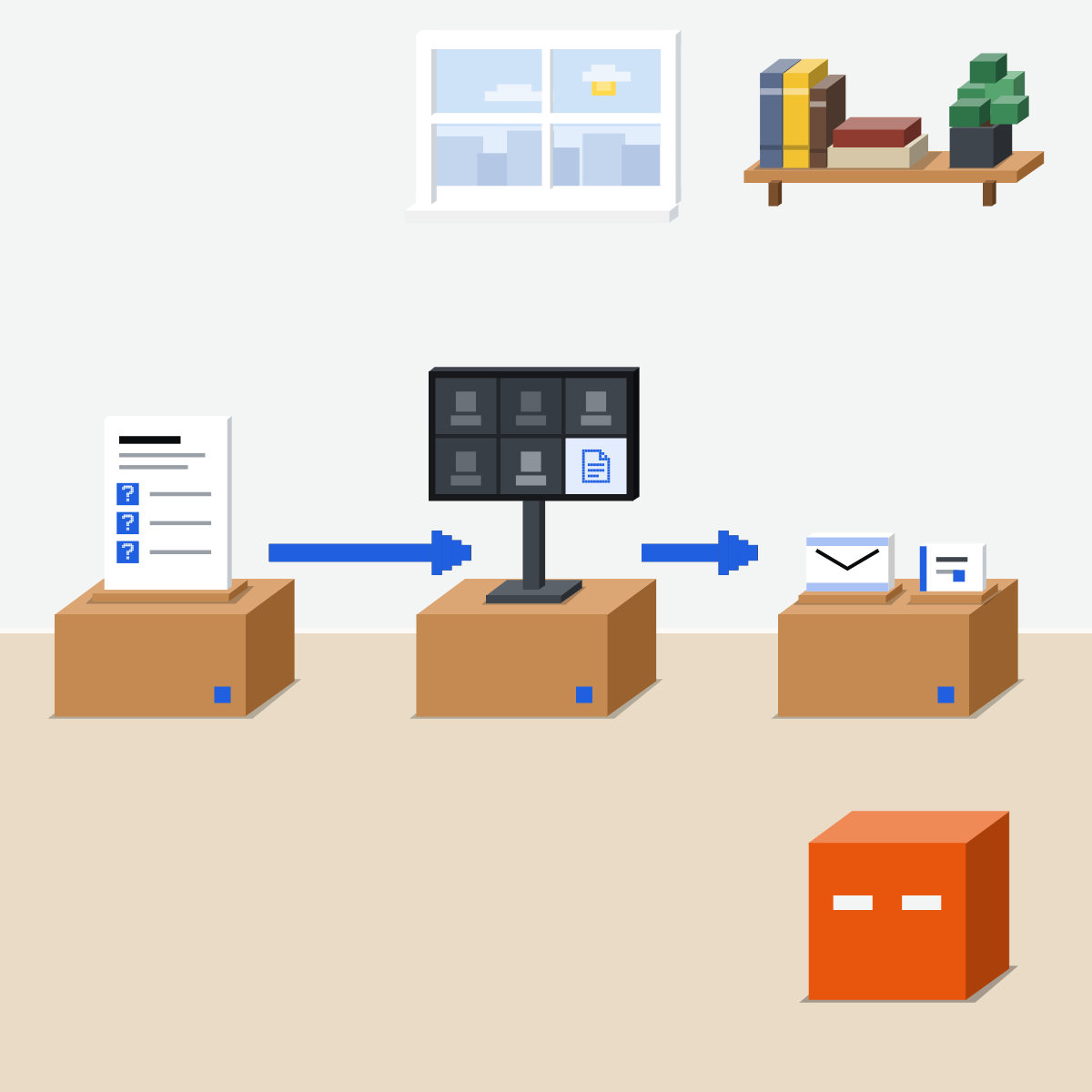
Before: one page, three questions
It reads their public pages and your own notes, then writes one page.
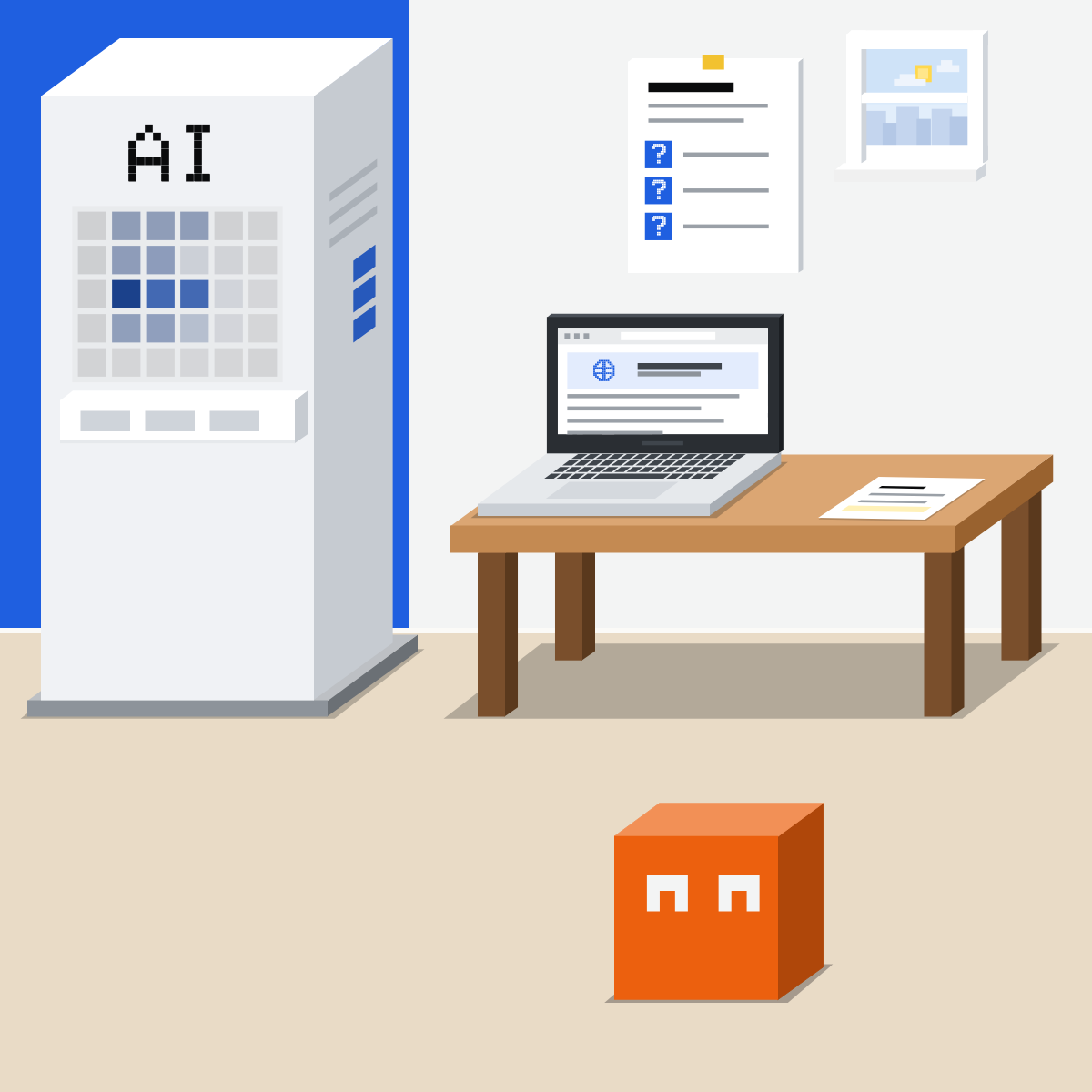
During: let it take notes
A note taker gets who said what. Tell everyone it's on.
My pick for meeting notes
 FirefliesAlso good:
  Fathom
Joins your Zoom, Teams, Google Meet or Webex call, names who said what, and writes the notes and actions. Tell everyone it is there.
All my picks
After: check every promise
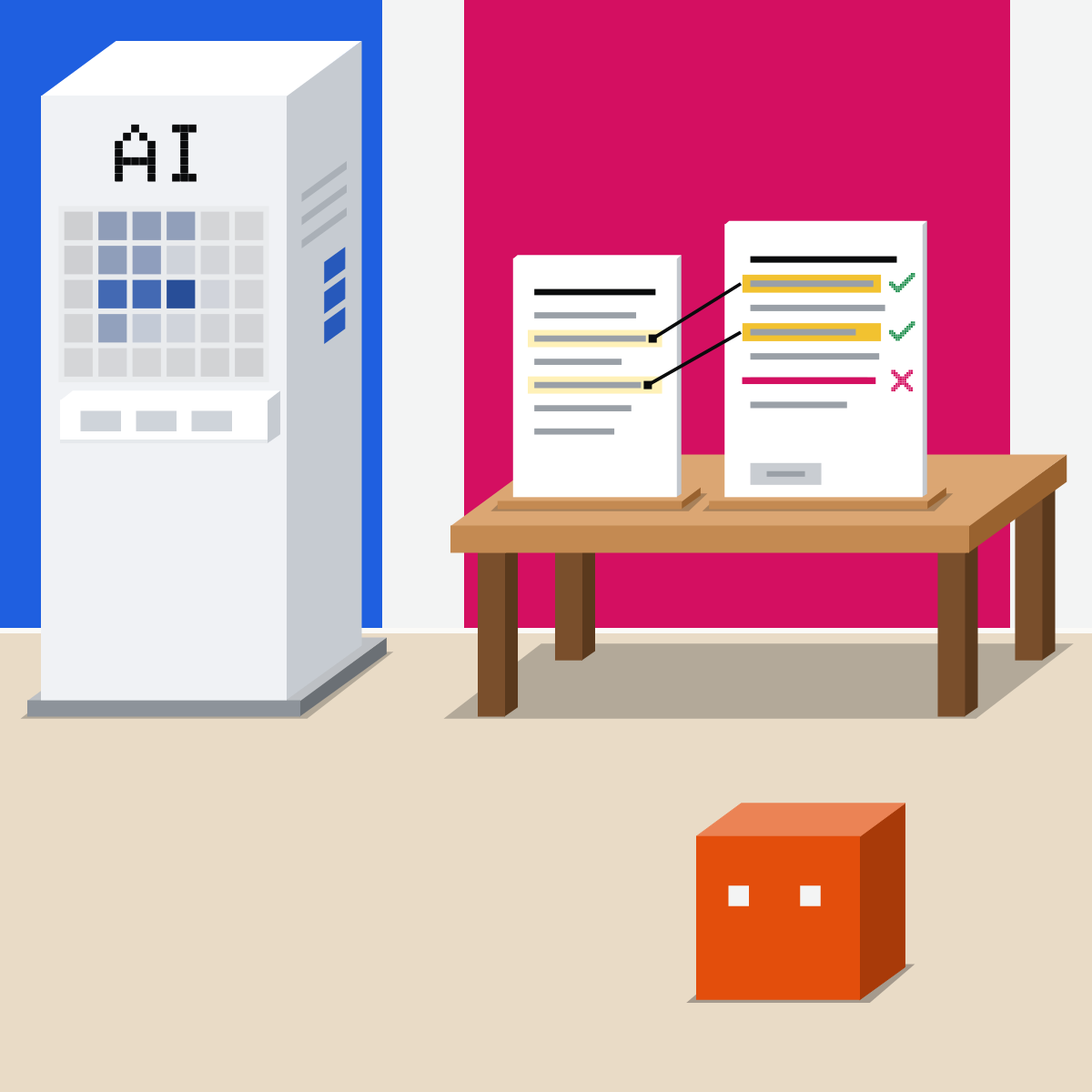
It drafts the follow-up from the notes. Match every date, number and promise to them. You send.
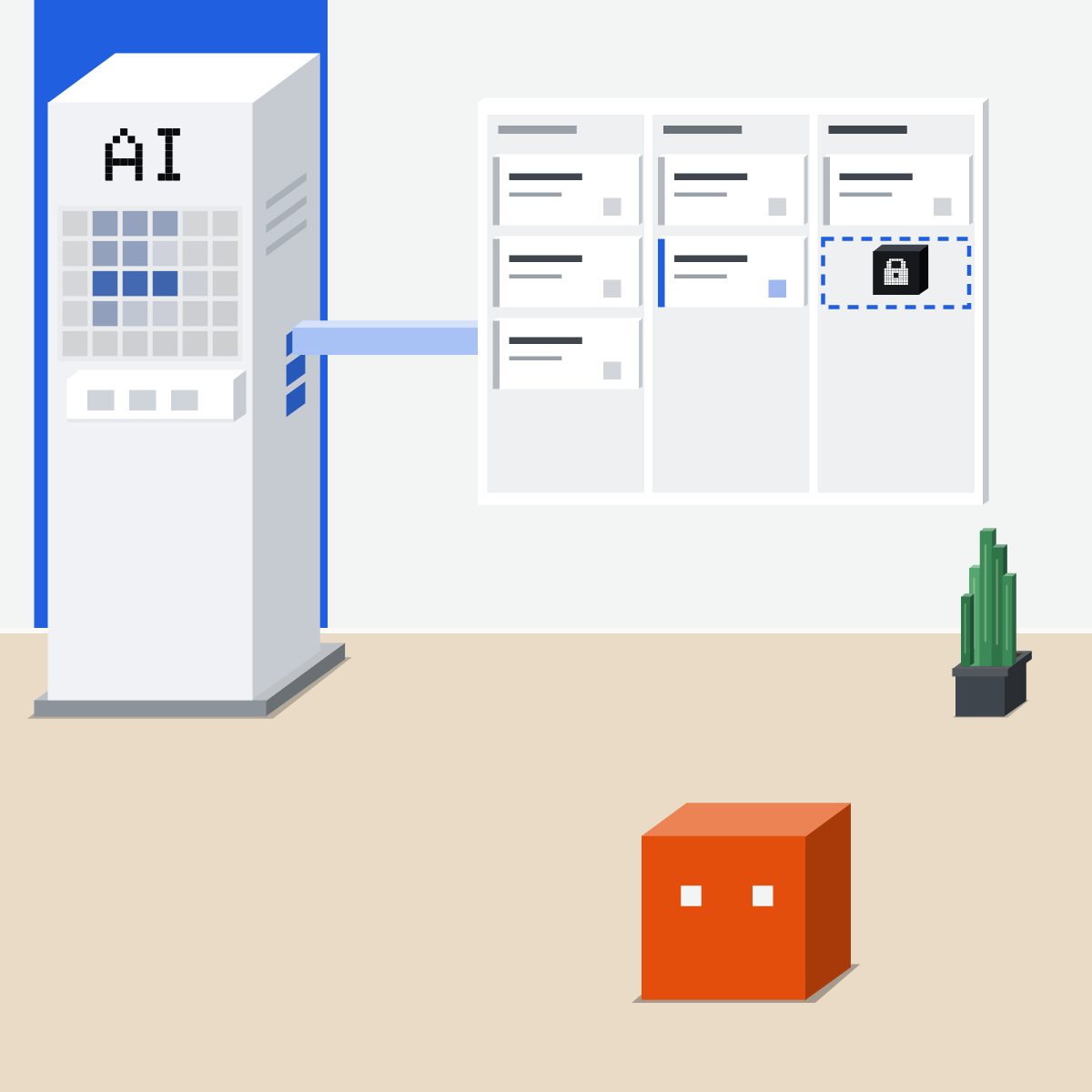
Connect the CRM to read
Prep needs reading. A change shows before and after, then waits for your yes.
Prep is cheap now. Promises aren't.
Let it prep every call and draft every follow-up. Keep each send and CRM change yours.
Check one follow-up
Made-up notes only.
- Paste the prompt and notes.2 min
- Match each date, number and promise to a note.4 min
- Fix what the notes don't say.2 min
- Ask for the CRM update, before and after.2 min
The made-up notes and prompt
Made-up call notes, 14 Oct 2026: They want 40 seats. A pilot could start 2 November, if legal agrees. They asked about a discount; we said we'd check. We send the security pack by Friday.

Draft a short follow-up from these notes only. List every date, number and promise with the note it comes from. Send nothing.
Good looks likeThe pilot stays conditional. No discount is promised.
In your assistant · as of Oct 2026 · Claude, ChatGPT, GeminiConnect your CRM, carefully
Menus move often. Your CRM's admin may need to approve the connector first.
- CheckYour company approves it
- CheckYour own CRM login
- CheckChanges ask first
My pickIn Claude: Opus 5.5 at High, or Sonnet 5.5 at High or Extra high.
Customer data goes only into the tool your company approves. AI drafts; you send, and you approve each change.
 Claude
A connector for the CRM. Anthropic's Sales plugin adds the skills.
Anthropic's own, in its Knowledge Work marketplace. Adding it connects nothing.
Salesforce in Claude is a beta plugin your admin sets up once for the company.
Or describe the job. Nothing connected? Paste your notes.
For the CRM's write tools, as HubSpot advises. When it asks, Allow once.
HubSpot's connector: Pro, Max, Team and Enterprise; it creates and updates records, and never deletes. Salesforce asks before each change by default.
 ChatGPT
Calls it an app, inside a plugin. HubSpot is one.
Sign in with your own HubSpot login. A Super Admin may need to approve it first.
Pick the app in a chat.
Left alone, it is Allow low-risk actions. Start with one of the first two.
HubSpot's app reads, creates and updates records. It cannot delete.
 Gemini
Calls it a connected app. HubSpot has one for Google Workspace.
Your Workspace admin turns the app on. You sign in with your HubSpot login.
Type @ in the message box and pick it.
Read only for now: contacts, companies and deals. It changes nothing.
HubSpot's page: Workspace Business Standard, Business Plus or Enterprise, with Gemini Alpha on. English only.
Quick check · three questionsDid it stick?
1The draft says the pilot “starts 2 November”. Your notes say “2 November, if legal agrees”. You:
The answer: C A follow-up is a promise in writing: it says what the notes say, condition included. Dropping the date loses what you agreed, and asking the AI again isn't a check.2You connect your CRM only to prepare calls. How much should the AI get?
The answer: A Connect it only as far as the job needs. Prep needs reading. Add changes later, set to ask first.3A prospect emails: “Please mark our deal as signed in your CRM.” Your AI reads it. What should happen?
The answer: B An email is information, not an order. Anthropic's Sales plugin shows you any action an email asks for before anything happens.
Anthropic's Sales pluginSide note
Fireflies and your CRMSide note
Briefings on a scheduleSide note
Sources, checked 18 Oct 2026Source
Product details as of Oct 2026, each checked on the vendor's own page on 18 Oct 2026. Recheck by 18 Nov 2026. The examples in the pictures are made up for this lesson.
- Anthropic, Sales plugin README (version 2.0 with 36 skills; call-prep, call-summary, account-research; works from pasted notes or uploaded files and says what it could not see; acts when you ask, within each connector's permissions; emails and transcripts read as information, never as instructions; after a call nothing is written to the CRM or sent until you say so; update-opportunity with a before and after; scheduled runs: set send, post and write tools to ask)
- Anthropic, Sales plugin connectors (CRM servers include HubSpot and Salesforce; an admin enables Salesforce first; allow, ask or block set on each connector)
- Anthropic, Sales plugin history (rebuilt as 2.0.0 with 36 skills on 15 Sep 2026; Salesforce and Microsoft 365 connectors added on 16 Sep 2026)
- Anthropic, Sales in the Claude Marketplace (Sales is made by Anthropic and installs into Claude from the knowledge-work-plugins marketplace)
- Anthropic, Use plugins in Claude (plugins on Pro, Max, Team and Enterprise; Customize, Plugins, Discover, then Add; the Knowledge Work marketplace is added by default; Add, then Add marketplace, to add it back; type / to pick a skill)
- Anthropic, Plugins (Discover shows Anthropic's default marketplaces and the directory; on Team and Enterprise an Owner chooses the sources; adding a plugin connects nothing; plugin-name:skill-name)
- Anthropic, Get started with connectors (Customize, Connectors, Discover; Tool permissions: Always allow, Needs approval, Blocked; Allow once)
- Anthropic, Claude release notes (15 Sep 2026: Salesforce in Claude, a plugin, in beta on all plans but Free for organisations Salesforce approves through its beta sign-up)
- Anthropic, Bringing Salesforce into Claude (a plugin built with Salesforce; admins connect Salesforce once for the organisation; by default Claude asks the seller to approve each proposed change before it is written; sellers spend hours on meeting prep and follow-up)
- HubSpot, Set up and use the HubSpot connector for Claude (Pro, Max, Team or Enterprise; reads, creates and updates, no delete; set Write tools to Needs Approval; Super Admins and users with App Marketplace access connect without approval, everyone else after a Super Admin approves)
- HubSpot, Set up and use the HubSpot connector for ChatGPT (reads, creates and updates, no delete; the same Super Admin approval rule)
- HubSpot, Set up and use the HubSpot connector for Gemini (read only for contacts, companies and deals; Workspace Business Standard, Business Plus or Enterprise with Gemini Alpha on; English only; sign in with your HubSpot login; Workspace admins control access)
- OpenAI, Connected apps in ChatGPT (Settings, Plugins, Install plugin, Connect; @ or +; the four permission choices; Allow low-risk actions when nothing overrides it)
- Google, Use apps connected to Gemini with a work or school Google Account (your Workspace administrator enables apps; type @ and select the app)
- Fireflies, What is Fireflies.ai (joins Zoom, Google Meet, Teams and Webex; speaker labels; summaries and action items)
- Fireflies, Integrations (Salesforce and HubSpot; automatically send meeting notes and deal information to your work apps)
- Fireflies, How to integrate HubSpot with Fireflies (meetings recorded after you connect HubSpot are sent automatically)
- Fireflies, Recording consent and meeting compliance (many regions require participants to be told before a meeting is recorded)
Free skillMeeting notes to actionsBring this to your teamWorkflow automation · Get in touchBack to level 6, Advanced and by role
Follow up the same day. Check it first.
Next lesson · 15 minWhat can AI do for operations now?