How do you automate a workflow: an agent, an automation or both?
Sort each step: routine to an automation, judgement to an agent you check.
Friday, the report again
Every Friday: fetch the numbers, write the update, send it, file it.

Lay the workflow out
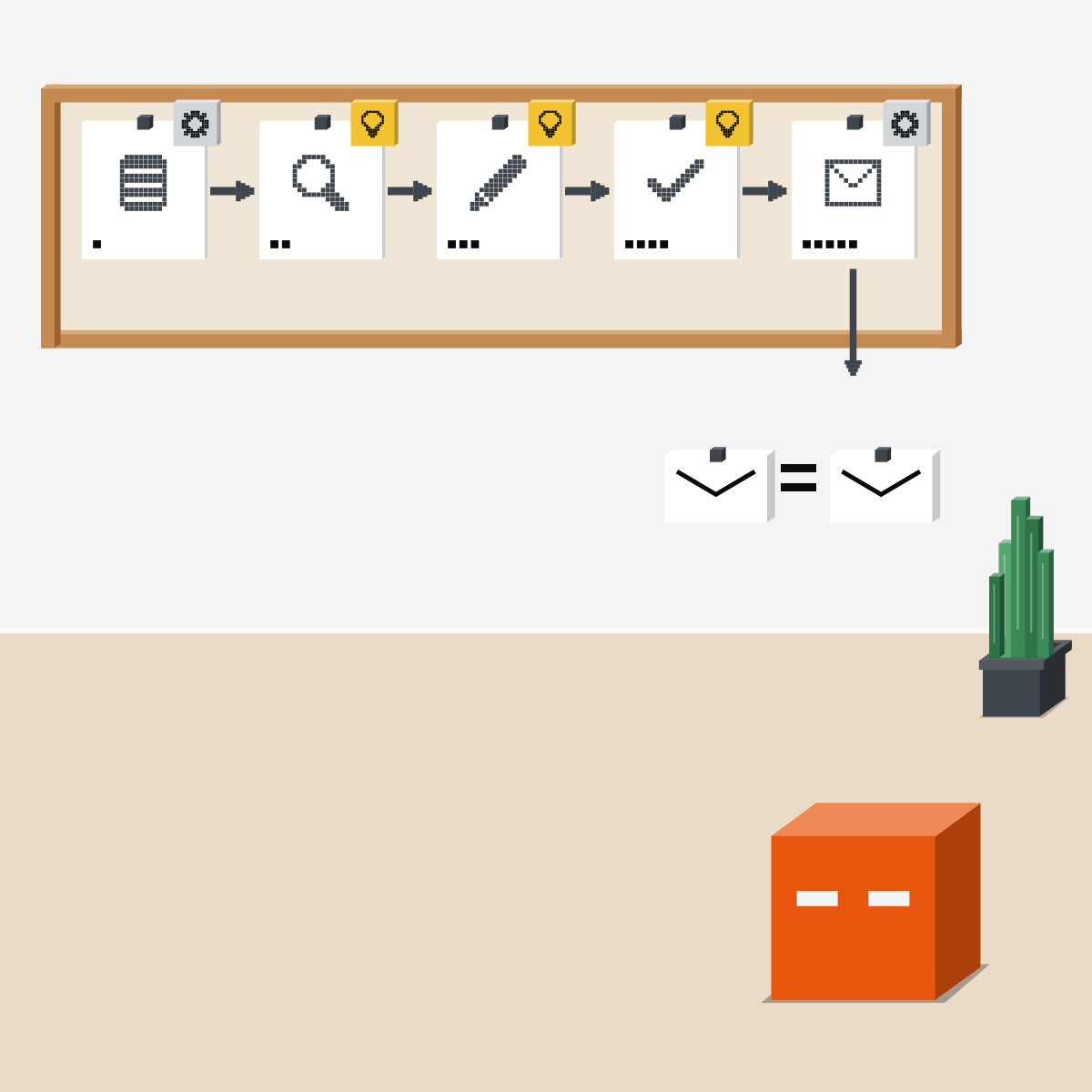
One card per step, in order, on the wall.
- Fetch the numbers
- Spot what changed
- Write the update
- Check it
- Send and file

Routine or judgement?
The two-people test: would two careful people do it the same way? Yes: routine. No: judgement.
Routine: a fixed automation
Set it once: when this happens, do that. Same steps every run, nothing to judge.
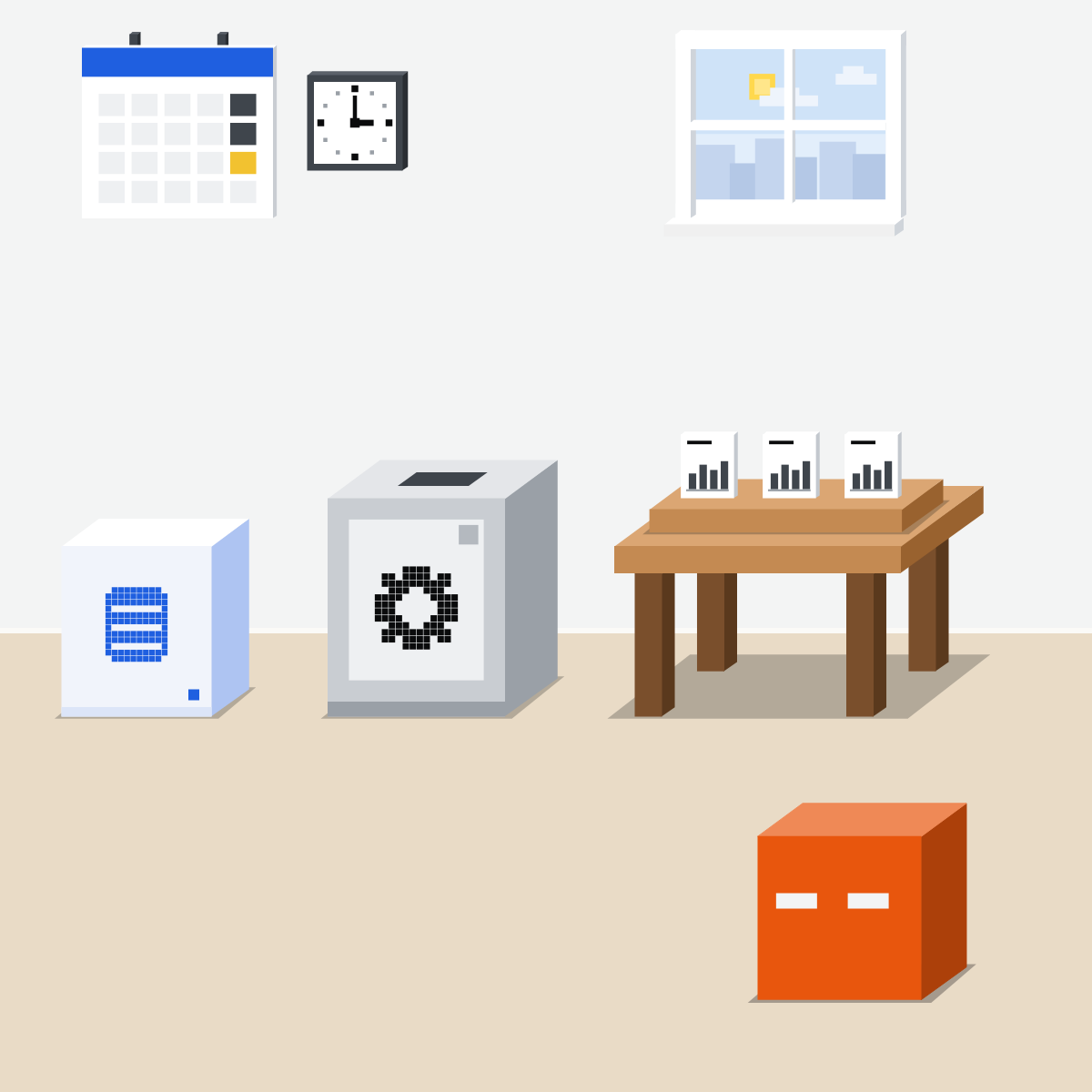
Judgement: an agent task
Schedule it to read the week and draft. Each week differs, so you check each draft.
My pick for automations
 Claude scheduled tasksAlso good:
  ChatGPT scheduled tasks
Describe work that repeats in any chat, like a report every Monday, then click Schedule. Find every one under Scheduled.
All my picks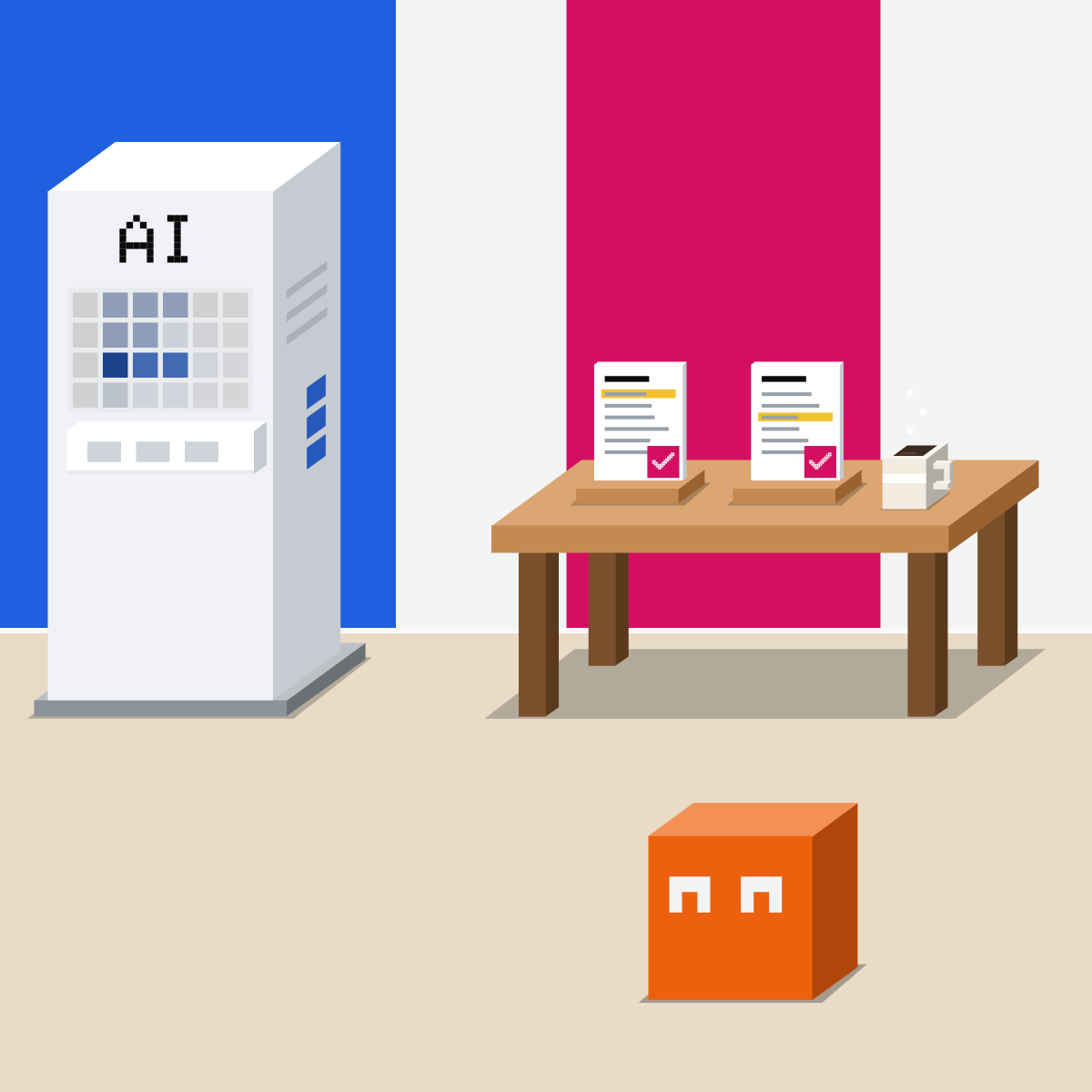
Usually both, with your yes
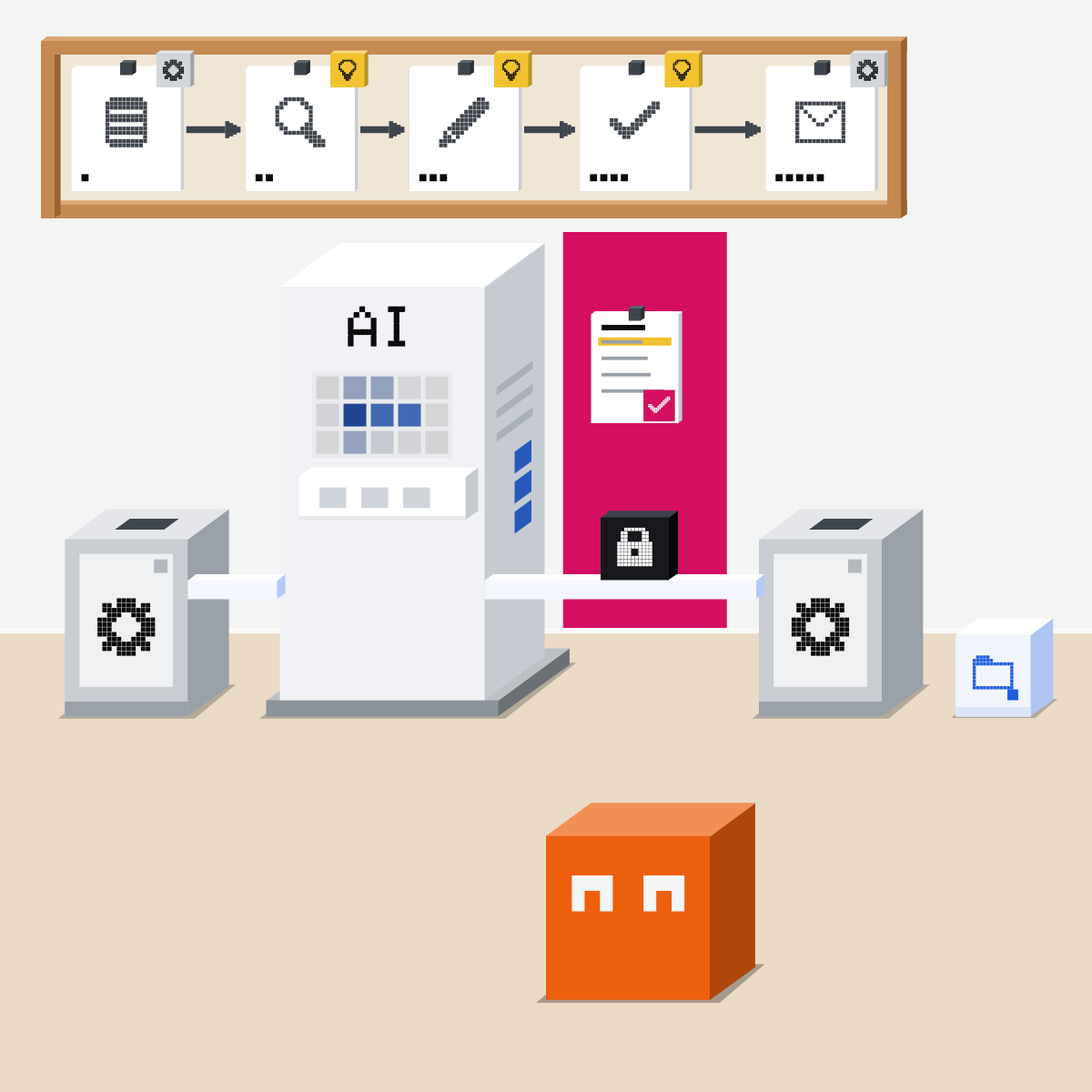
An automation fetches. An agent drafts. You check and say yes. Then the automation sends and files.
Map one workflow
Made-up details only.
- Pick one workflow you repeat every week.1 min
- Paste the prompt into Claude, ChatGPT or Gemini and answer its questions.5 min
- Check each mark with the two-people test.2 min
- Choose one routine step to automate first.2 min
The prompt to paste
Help me automate one weekly workflow: [name it]. Ask me its steps, one at a time. Then give me a table: step; routine or judgement (would two careful people do it the same way?); who does it: a fixed automation, a scheduled agent task, or me. Put my check before anything is sent.
Good looks likeFour to six steps, each marked, with your check before anything is sent.
In your assistant · as of Oct 2026 · Claude, ChatGPT, Gemini, ZapierSet up both halves
Menus move often. Missing something? Your plan, country or admin may be why.
- CheckYour company allows it
- CheckSends wait for you
- CheckRead the first runs
Use the tool your company approves for company data. Test with made-up data first.
Claude
Calls it a scheduled task. It runs in the cloud, even with your computer asleep.
Answer its questions, review the name, schedule and instructions, then click Schedule. Still see Chat and Cowork? Scheduled, then New task.
Customize, then Connectors: set tools that send to Blocked. Tasks Claude creates approve automatically, where your organisation allows it.
In the left sidebar: past runs; edit, pause, delete or run now.
Pro, Max, Team and Enterprise.
ChatGPT
Calls it a scheduled task. It can also start on a new email or Slack message.
Or ask in a chat. For an event, connect the app in Settings, Apps, then ask ChatGPT Work for one and review Trigger, Condition and Prompt.
Sends may wait
A send or a change to outside data may need approval; the task pauses until you review it.
Review results; pause, resume, edit or delete a task.
Scheduled tasks: every plan, Free once a day at most. Event tasks: Plus, Pro, Business, Enterprise and Edu (Enterprise and Edu once an admin allows them); not Free or Go. Set triggers on the web or phone.
 Gemini
Calls it a schedule, inside a task. Personal accounts only.
A time, a Gmail condition or a topic to watch.
It asks first, for some actions
Before sending, changing your data, buying or submitting forms. Offline, you may not be able to stop it.
Open the schedule first. To delete: hover, More, Delete.
18 or over, Google AI Pro or Ultra, Keep Activity and Personal Intelligence on. Not in the EEA, Nigeria, Switzerland or the UK. Work account: a scheduled action in a chat instead, where your Workspace edition includes it.
 Zapier
The fixed automation. Calls it a Zap: a trigger and one or more actions.
In the left sidebar. Or open a template and click Try it.
The actions run each time the trigger event occurs. Free allows one action; Professional and up, more. Schedule by Zapier can start one weekly.
Pauses the Zap for a reviewer. Choose Stop run for a no and End run for no reply. Professional, Team and Enterprise.
Quick check · three questionsDid it stick?
1Every new invoice must be saved to one folder and logged in one sheet. Which fits?
The answer: B Two careful people would do it the same way, so it is routine.2A fixed automation writes your weekly update from a template. The week a big client leaves, what happens?
The answer: A It follows its steps exactly. Writing the update is a judgement step.3An agent task drafts the client update each Friday. What should happen before the client sees it?
The answer: C The agent drafts; the yes stays with you, before anything leaves.
Why not one agent for all of it?Side note
The hand-off between themSide note
Started by an eventSide note
Sources, checked 18 Oct 2026Source
Product details as of Oct 2026, each checked on the vendor's own page on 18 Oct 2026. Recheck by 18 Nov 2026. The examples in the pictures are made up for this lesson.
- Anthropic, Claude Cowork and chat are now one Claude, 16 Sep 2026 ("Schedule it for every Monday, and Claude starts on the report without being asked"; asks before acting by default)
- Anthropic, Schedule recurring tasks in Claude Cowork (describe the task in any conversation, click Schedule; or Scheduled, New task; the Scheduled page: upcoming and past runs, edit, pause, resume, delete, run on demand; runs remotely, local files and apps only locally; Pro, Max, Team and Enterprise)
- Anthropic, Get started with Claude Cowork (Manually approve, Automatically approve, Skip all approvals; a Blocked tool is denied in every mode)
- Anthropic, Use Claude Cowork safely (do not schedule tasks that send messages on your behalf; review outputs after each run)
- Anthropic, Claude Desktop changelog (1 Oct 2026: scheduled tasks Claude creates use Automatically approve by default where the organisation allows it)
- Anthropic, Get started with connectors (Customize, Connectors, Tool permissions: Always allow, Needs approval, Blocked)
- Anthropic, Claude Cowork product page ("agentic tasks consume more capacity than regular chat")
- OpenAI, Scheduled tasks in ChatGPT (Scheduled or ask in a chat; once, recurring or on events; Settings, Apps; Gmail, Slack and GitHub; every plan, Free at most once a day; event tasks not on Free or Go, admin switch on Enterprise and Edu; sends may need approval and the task pauses; desktop app cannot edit triggers)
- OpenAI, ChatGPT Work and Codex (event tasks: Trigger, Condition and Prompt; Plus, Pro, Business, Enterprise and Edu; not Free or Go)
- Google, Manage your tasks and workflows in Gemini Apps (Task below the text box; 18 or over, personal account, Google AI Pro or Ultra, Keep Activity, Personal Intelligence; not in the EEA, Nigeria, Switzerland or the UK; asks before certain actions; offline warning)
- Google, Create and manage schedules for tasks in Gemini (time, Gmail monitor or topic monitor; Submit; Scheduled; More, Pause; hover, More, Delete)
- Google, Schedules in Gemini Apps (scheduled actions in a chat, also for work accounts on a qualifying Workspace edition)
- Zapier, Learn key concepts in Zap workflows ("Each Zap consists of a trigger and one or more actions")
- Zapier, Zap workflows quick start guide (Create a Zap in the left sidebar; a template's Try it; more than one action needs a trial or a plan above Free)
- Zapier, Plans (Free: two-step Zaps; Professional: multi-step Zaps)
- Zapier, Set up your Zap action (Publish in the upper right; the actions run each time the trigger event occurs)
- Zapier, Schedule Zap workflows to run at specific intervals (Schedule by Zapier: hourly, daily, weekly or monthly)
- Zapier, Use Human in the Loop to pause Zap workflows pending human review (Request Approval; Free no, Professional, Team and Enterprise yes)
- Zapier, Request approval to keep your workflow running with Human in the Loop (approve, decline or change; Stop run if declined; End run on timeout)
- Zapier, Workflow automation templates (ready-made workflows, including weekly reports)
Free kitThe Agent PlaybookBring this to your teamWorkflow automation · Get in touchBack to level 6, Advanced and by role
Automate the routine. Check the judgement.
Next lesson · 15 minHow do you set up one AI assistant your whole team can use?